Short answer: turn the ignition on but do not start the engine. That position powers the car's modules and the OBD2 port, and it is enough to read stored and pending fault codes, freeze frame data, the VIN and the readiness monitors — which is what most people are plugging a scanner in for. Start the engine only when you need live data, because sensor readings are meaningless on a stationary engine. Never have a scanner negotiating a connection while you crank.
The short version
- Ignition on, engine off: stored codes, pending codes, freeze frame, VIN, readiness monitors.
- Engine running: live sensor data, fuel trims, coolant and transmission temperature, misfire counters.
- While cranking: nothing useful. Plug in and connect before you start, or after.
- Either way, plug the scanner in first, then turn the key — not the other way round.
What each key position actually gives you
| Key position | Stored and pending codes | Freeze frame | Readiness monitors | Live sensor data |
|---|---|---|---|---|
| Off | No — port usually unpowered | No | No | No |
| On / run, engine off | Yes | Yes | Yes | Only static values |
| Engine running | Yes | Yes | Yes | Yes — this is the point |
| Cranking | Do not — voltage drops, link can drop | No | No | No |
The second row is the answer to the question in the title, and the fourth row is the one worth taking seriously. Cranking pulls system voltage down sharply. A scanner mid-handshake can lose the link, and on some cars the result is a communication error that looks exactly like a fault in the car. Connect before you turn the key, or connect after the engine is already running.
Why "on, engine off" is the default
A fault code is not a live measurement. When a module decides something is wrong, it writes a code into its own memory and — on most faults — stores a freeze frame, a snapshot of the sensor values at that moment. Both live in module memory and both survive the engine being switched off. All the scanner needs is the modules awake and the port powered, which is exactly what the run position does.
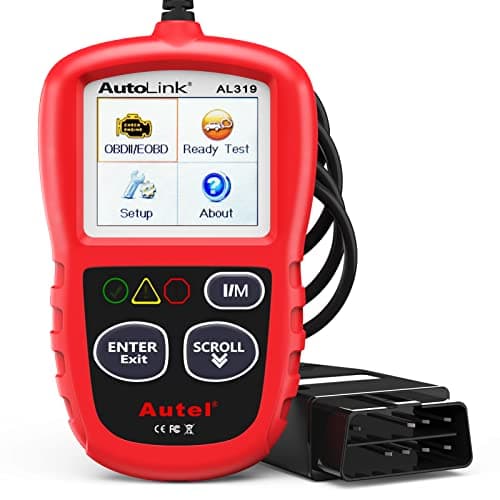
This is also why the engine-off case is the one that makes a cheap handheld genuinely sufficient. Autel publishes stored, pending and generic code reading plus freeze frame on the AutoLink AL319, a tool that draws its power from the port and needs nothing else. If reading a check engine light is the whole job, nothing about starting the engine improves the answer. Best OBD2 scanner for beginners is the shortlist for that case.
When the engine has to be running
Live data is the reason, and it is a real one. Fuel trims, oxygen sensor voltages, coolant temperature, misfire counters, transmission fluid temperature: every one of those is a number the engine is producing right now, and on a stopped engine it is either zero or a resting value that tells you nothing. If you are chasing a rough idle, a lean code, an overheating complaint or a transmission that behaves differently when hot, you need the engine running — and often the car moving, with a passenger holding the tool.
Readiness monitors sit in an awkward middle. You can read their state with the ignition on, which is how you discover that six of them are incomplete. Getting them to complete is a different matter: the car has to be driven through the conditions each monitor needs, which takes a mix of cold starts, steady cruising and idling across one or more trips. No scanner can shortcut that, and any tool or service claiming to set monitors ready without driving the car is not doing what it says. How to clear a check engine light properly explains why this matters before an emissions test.
The sequence that avoids most problems
1.Find the port with the key off
The connector is within reach of the driver's seat on every OBD2-compliant vehicle — commonly under the dash near the steering column, sometimes behind a small panel. Find it before you need it, with the car off, so you are not fishing around in the dark with a scanner in one hand.
2.Plug the scanner in
Push it home squarely. A partly seated connector is the single most common cause of a scanner that will not link, and it reads as a car problem rather than a plug problem. Why won't my OBD2 scanner connect? works through the rest of the causes.
3.Turn the ignition to on, engine off
On a push-button car that usually means pressing start without your foot on the brake, or holding the button briefly — the manual will say. Wait for the dash to finish its self-test before expecting the tool to link.
4.Read stored codes, pending codes and freeze frame
Write down every code and its freeze frame before you do anything else. This is the record of the fault as the car saw it, and clearing codes destroys it.
5.Only then start the engine, if you need live data
Leave the scanner connected and start the car. The link normally survives; if it drops, reconnect with the engine already running rather than cranking again with the tool negotiating.
What about a flat or disconnected battery?
A scanner draws its power from the port on most handhelds, so a weak battery affects the car's modules long before it affects the tool. Low system voltage is a genuine cause of spurious communication errors and even stored codes in unrelated modules. If you have just jump-started the car or had the battery disconnected, expect codes that reflect that event rather than a mechanical fault, and expect readiness monitors to have reset themselves.
Disconnecting the battery to "reset" a light is the old advice and it is a poor idea for the same reason clearing codes blindly is: it erases the freeze frame and the monitors along with the light, leaving you with less information than you started with and a car that cannot pass an emissions test until it has been driven again.
Which tool suits which position
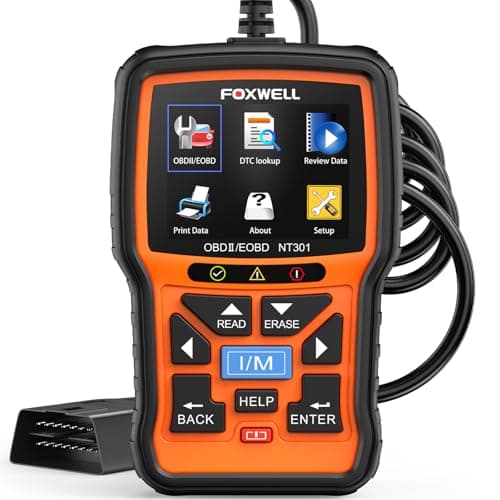
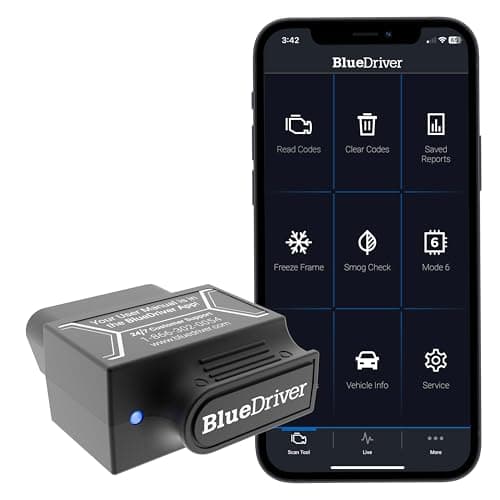
If your work is almost entirely ignition-on code reading — the typical case for one warning light — a self-powered handheld is the right buy and the cheapest. If you expect to watch live data with the engine running and the car moving, a Bluetooth adapter plus your phone is the safer and more practical shape, because the tool can stay in the port and the screen can be in somebody else's hands. And if you want the readiness monitors shown as a traffic-light state rather than a table to interpret, that is a specific published feature rather than something every tool does.