Skip to content
JACK & TORQUE

Roundup

Best OBD2 Scanner for Transmission

Three different jobs hide inside this one search: reading a code, watching a temperature, and resetting an adaptation.

By Ryder M. · Published October 17, 2026 · Last reviewed October 17, 2026

We earn a commission when you buy through the Amazon links on this page, at no extra cost to you. It never changes which tool we put first, and we publish no price we have not verified. How this site is funded.

Best OBD2 Scanner for Transmission — ranked picks with scores and a price check for each
#PickKey capabilityScorePrice
1
Innova 5610 CarScan Pro, Amazon product photo
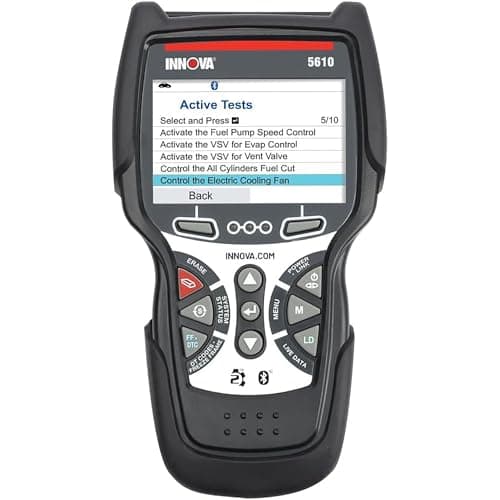
Innova 5610 CarScan ProBest handheld for transmission codes and temperature
Engine, transmission, ABS, SRS8.8
2
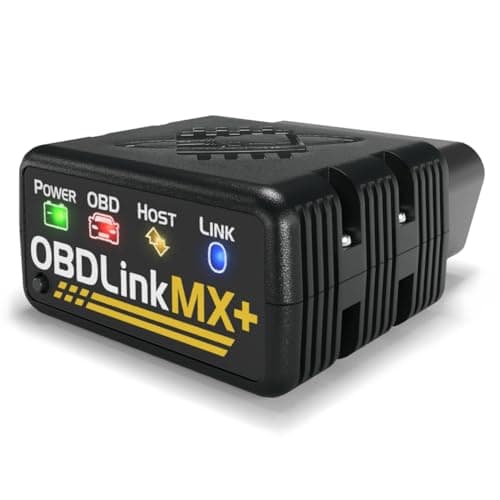
OBDLink MX+, Amazon product photo
OBDLink MX+Best for logging fluid temperature while you drive
All legislated OBD-II, plus Ford MS-CAN and GM SW-CAN8.6
3
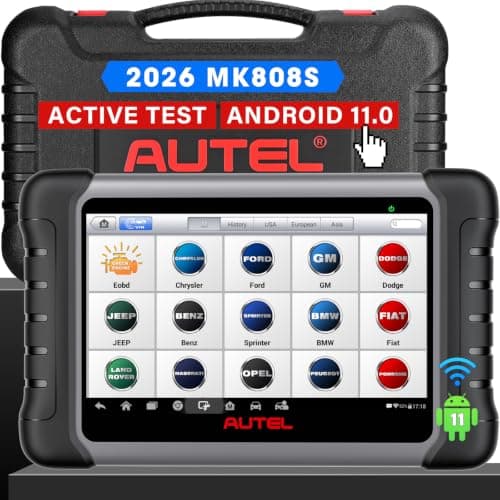
Autel MaxiCOM MK808S, Amazon product photo
Autel MaxiCOM MK808SBest if the fault needs commanding, not just reading
7 in capacitive touchscreen, 1024 x 6009.0
4
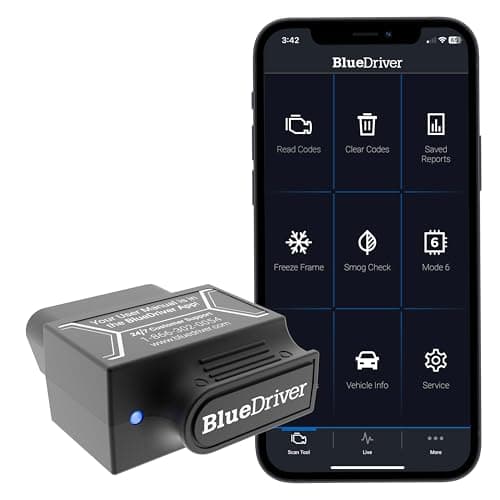
BlueDriver Pro, Amazon product photo
BlueDriver ProCheapest published transmission coverage
Bluetooth to iOS and Android8.8
5
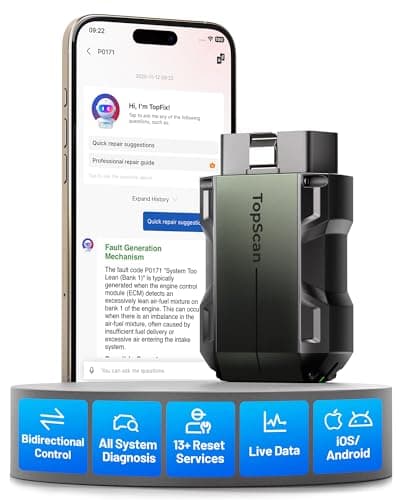
TOPDON TopScan Pro, Amazon product photo
TOPDON TopScan ProBi-directional full-system in a pocket
Bluetooth to iOS and Android8.6

Product photographs come from each product's own Amazon listing via the Associates program. They are the seller's images, not photographs of anything we own — we have no test rig and claim none.

Innova 5610 CarScan Pro, Amazon product photo

Short answer: the Innova 5610 CarScan Pro, because it is the only handheld here whose maker publishes both transmission system coverage and transmission temperature in its live data, with bi-directional tests and free updates on top. If your real goal is watching temperature while you drive — towing, track, a suspect cooler — the OBDLink MX+ publishes transmission temperature at up to 100 samples per second, which is the specification that makes a trace readable. If you need to command the transmission module during a diagnosis rather than just read it, the Autel MaxiCOM MK808S.

Which of the three jobs is yours?

1. Reading a transmission fault code

Transmission faults are stored in the transmission control module. That module is not part of the legislated emissions set, so a generic code reader connects happily, reports no faults, and is telling you only that the engine computer has nothing to say. You need a tool whose maker publishes transmission system coverage: on this page that is the Innova 5610, the OBDLink MX+, the Autel MK808S, BlueDriver Pro and the TOPDON TopScan Pro — and not the basic readers covered on best budget OBD2 scanners.

2. Watching fluid temperature

This is the one that catches people out, and it is a live-data question rather than a code question. Transmission fluid temperature is an enhanced parameter — the maker has to publish access to it — and then the useful follow-up question is how often the tool samples. A reading updated twice a second shows you a temperature; a reading updated a hundred times a second shows you how fast it is rising and what caused it. Innova names transmission temperature in its live-data list. OBDLink names it in its enhanced data list and publishes up to 100 samples per second.

3. Resetting or relearning after a repair

Some transmission work ends with a module-side procedure rather than a mechanical one. That is bi-directional territory: the tool has to command, not ask. Autel, Innova and TOPDON publish bi-directional capability; OBDLink and BlueDriver do not. Bidirectional vs basic OBD2 scanners sets out exactly where that line falls.

The five picks on published transmission capability

Manufacturer-published transmission capability for every scanner on this page
ScannerTransmission systemFluid temperature namedBi-directionalSample rate published
Innova 5610 CarScan ProYesYesYesNot published
OBDLink MX+Enhanced dataYesNoUp to 100 / second
Autel MaxiCOM MK808SAll-systemNot namedYesNot published
BlueDriver ProEnhancedNot namedNoNot published
TOPDON TopScan ProFull-systemNot namedYesNot published
Manufacturer-published transmission capability for every scanner on this page

"Not named" means exactly that: the maker publishes system-level access but does not list fluid temperature as a parameter, so we will not tell you it is there. In practice an all-system tool often exposes it; we have not verified that on a vehicle and will not imply we have.

Why temperature is the number worth having

A transmission fault code tells you something has already gone wrong. Fluid temperature is one of the only figures a home owner can watch that gives warning beforehand. It is also the parameter that explains symptoms the dash never flags — a shift that feels different on a long climb with a trailer than it does on a cold commute, for instance. Makers publish transmission temperature as an enhanced parameter rather than a generic one, so whether you can read it is a buying decision rather than something you can discover later with a software update.

A practical note on how to use it. The reading only means something in context: what the temperature does when the car is worked compared with what it does on a normal drive matters more than any single figure, and we are not going to publish a threshold table, because the safe range is set by your vehicle manufacturer and the fluid specification, not by us. Your owner's manual and the vehicle maker's service information are the authorities on what is normal for your transmission.

What we left out, and why

We did not include the basic readers that appear elsewhere on this site. The FOXWELL NT301 publishes CAN OBDII / EOBD coverage and the Autel AutoLink AL319 publishes OBD2 engine codes with a live PCM datastream; both are good tools at their price and neither publishes transmission system access, so putting them on a transmission page would be padding. OBD2 scanner vs code reader covers that distinction in general terms.

We also have not load-tested, bench-tested or vehicle-tested any scanner on this site, and no figure above is ours. Every specification is published by the manufacturer and linked in the sources; the judgments layered on top are labeled as judgments. How we review is the full disclosure.

What we would buy

For most people with a transmission light and no desire to own a diagnostic habit: the Innova 5610, because it is the only handheld here that publishes both transmission system coverage and temperature, and because free updates mean it will still read the next car. For temperature logging while towing or on track: the OBDLink MX+, for the published 100 samples per second. For someone who will be commanding modules during repairs: the Autel MaxiCOM MK808S. And if the budget is fixed and you simply want to know what the light means before you book the car in: BlueDriver Pro is the cheapest published transmission coverage on this page.

The picks in full

Every pick, in detail

Innova 5610 CarScan Pro, Amazon product photo

1. Best handheld for transmission codes and temperature

Innova 5610 CarScan Pro

Innova · score 8.8/10

All-system diagnostics with bi-directional control and live ABS, SRS and transmission data — and Innova states updates are free with no subscription.

Innova publishes engine, transmission, ABS and SRS system coverage, bi-directional tests, and a live-data list that names transmission temperature outright. That combination is the whole page in one tool: you can pull a transmission fault code, watch fluid temperature while the car is driven or idling, and command a module rather than only interrogate it — on a self-contained handheld with free updates and no subscription. The limits are published too and worth reading: coverage is stated for the US and Canada only, and the service-function list is shorter than Autel's.

Published specifications

Systems
Engine, transmission, ABS, SRS Innova
Bi-directional
Yes Innova
Live data
Engine, ABS, SRS, transmission (incl. temperature), TPMS Innova
Updates
Free, no subscription Innova
Coverage
OBD2 vehicles 1996+; US and Canada only Innova

What works

  • Bi-directional control without a subscription
  • Transmission fluid temperature readout, which many fluid changes require
  • Free updates keep the tool useful for years

What you give up

  • Innova states it works only in the US and Canada
  • More menus than a beginner needs on day one
  • Corded handheld, not a tablet

Our scoring

  • Fit & reach9.0
  • Safety margin8.6
  • Beginner ease8.2
  • Build quality8.6
  • Value9.0
$349.99 · View on Amazon

#ad Price as of October 17, 2026. How this is funded

Specifications published by Innova — we earn nothing from that link.

Autel MaxiCOM MK808S, Amazon product photo

3. Best if the fault needs commanding, not just reading

Autel MaxiCOM MK808S

Autel · score 9.0/10

A 7 in Android 11 tablet that reads and clears codes on all available systems and performs bi-directional active tests — the point where a scanner stops being a code reader.

All-system diagnostics plus bi-directional active tests, published by Autel, on a 7 in Android tablet with a named service list — oil reset, EPB, SAS, DPF, injector coding and battery registration. On a transmission job the value is the active tests: being able to command a module during a diagnosis is the difference between guessing at an intermittent fault and provoking it. It is by far the most expensive tool here, Autel does not name transmission temperature specifically in its published specification, and it is a tablet with a battery and a software life.

Published specifications

Display
7 in capacitive touchscreen, 1024 x 600 Autel
Processor
Cortex-A55 quad-core 1.8 GHz Autel
OS
Android 11 Autel
Battery
3.7 V / 5000 mAh Autel
Bi-directional
Yes — active tests Autel
Service functions
Oil reset, EPB, SAS, DPF, injector, battery registration Autel

What works

  • Reads and clears codes across all available modules, not just the engine
  • Bi-directional active tests let you command a component instead of guessing
  • Wi-Fi updates and a real battery — it works away from a laptop

What you give up

  • Far more tool than a first-time owner needs to read a check-engine light
  • Function coverage varies by make and model year
  • A tablet is one more device to keep charged

Our scoring

  • Fit & reach9.4
  • Safety margin8.6
  • Beginner ease8.0
  • Build quality9.0
  • Value8.2
$378.94 · View on Amazon

$479.00 21% off

#ad Price as of October 17, 2026. How this is funded

Specifications published by Autel — we earn nothing from that link.

BlueDriver Pro, Amazon product photo

4. Cheapest published transmission coverage

BlueDriver Pro

BlueDriver · score 8.8/10

A Bluetooth dongle that reads enhanced ABS, airbag and transmission codes with no subscription, and hands you a repair report instead of a raw code.

BlueDriver publishes enhanced ABS, airbag and transmission coverage for 1996 and newer cars, SUVs and light trucks sold in North America, with no subscription, plus Repair Reports built from verified fixes rather than a raw code dump. For somebody whose transmission light is on once and who wants to know what it means before booking a shop, this is the least money that buys published transmission access. It is not bi-directional, and it does not name temperature in its live-data list.

Published specifications

Connection
Bluetooth to iOS and Android BlueDriver
Coverage
1996 and newer cars, SUVs and light trucks sold in North America BlueDriver
Enhanced systems
ABS, airbag (SRS), transmission BlueDriver
Subscription
None BlueDriver
Reports
Repair Reports built from verified fixes BlueDriver

What works

  • Reads the enhanced ABS and airbag codes most cheap readers cannot
  • Repair reports translate a code into a likely cause
  • No subscription — the price is the price

What you give up

  • Useless if your phone is dead
  • Enhanced coverage depends on the make
  • No bi-directional actuator control

Our scoring

  • Fit & reach8.8
  • Safety margin8.4
  • Beginner ease9.4
  • Build quality8.6
  • Value8.8
$139.95 · View on Amazon

#ad Price as of October 17, 2026. How this is funded

Specifications published by BlueDriver — we earn nothing from that link.

TOPDON TopScan Pro, Amazon product photo

5. Bi-directional full-system in a pocket

TOPDON TopScan Pro

TOPDON · score 8.6/10

A Bluetooth dongle with bi-directional control, a full-system scan and 13 maintenance services — capability that used to need a tablet.

TOPDON publishes full-system code reading, bi-directional control and 13 maintenance services on a Bluetooth adapter, with CAN FD and FCA AutoAuth support named — the second of which matters specifically if the vehicle is a Chrysler, Dodge, Jeep or Ram, where the gateway is otherwise a wall. Full system includes the transmission module. The caveats are the dongle caveats: your phone is the interface, and the feature list lives in software TOPDON controls.

Published specifications

Connection
Bluetooth to iOS and Android TOPDON
Bi-directional
Yes — bi-directional control TOPDON
Diagnostics
Full-system code reading TOPDON
Service functions
13 maintenance services TOPDON
Protocols
CAN FD, FCA AutoAuth

What works

  • Bi-directional control from a dongle that fits in a glovebox
  • Full-system scan list is unusually broad for the format
  • Nothing to carry but your phone

What you give up

  • TOPDON lists bi-directional control and the service functions as subscription features — check what the box includes
  • Depends entirely on the app and your phone
  • Advanced functions are gated by vehicle support

Our scoring

  • Fit & reach8.6
  • Safety margin8.2
  • Beginner ease8.6
  • Build quality8.4
  • Value8.8
$110.99 · View on Amazon

$129.99 15% off

#ad Price as of October 17, 2026. How this is funded

Specifications published by TOPDON — we earn nothing from that link.

Method

How these picks were chosen

We did not test these tools. We do not run a laboratory, we have not loaded a jack to failure or checked a wrench on a calibration bench, and we will not tell you otherwise. What we did instead is read the published manufacturer specifications, check the figures that matter against the safety standard that applies to portable automotive lifting equipment, and work out which tool suits which job. Every number on this page links to where it came from, so you can check us.

The five things we score are the five that decide a first purchase: will it fit under and lift your car, how much safety margin the rating and the locking mechanism leave you, how hard it is to get right alone in a driveway, what the materials and published standards say about how long it lasts, and what the money buys against the rest of the field.

Read the full method — including how we pick a top pick, and how prices get on the page.

Questions

Frequently asked questions

+Can a normal OBD2 scanner read transmission codes?

Usually not. Generic OBD2 covers emissions-related engine faults; the transmission control module sits outside that set, so the scanner's maker has to publish transmission coverage for the codes to be reachable.

+Which scanner shows transmission fluid temperature?

Innova names transmission temperature in the 5610's published live-data list, and OBDLink names it in the MX+'s enhanced data list at up to 100 samples per second. The other tools on this page publish system-level transmission access without naming temperature as a parameter.

+Do I need a bi-directional scanner for transmission work?

Only if the job ends with a module-side procedure — an adaptation reset or a commanded test. For reading codes and watching live data, a read-only tool with published transmission coverage is enough.

+What transmission temperature is too high?

That is set by your vehicle manufacturer and the fluid specification, not by a general rule, and we will not publish a number we cannot source for your car. Check the owner's manual or the maker's service information, and treat an unusual rise compared with your own normal driving as the signal worth acting on.

+Will a phone dongle read transmission data?

Yes, if the maker publishes that coverage — the OBDLink MX+ and BlueDriver Pro both do. What a dongle generally cannot do is bi-directional control, so it diagnoses rather than commands.

Sources

Where these figures come from

Read next

Related reading