Skip to content
JACK & TORQUE

Comparison

OBD2 Scanner vs Scan Tool

Three words, one class of hardware. Only one of the three is defined by anybody, and it describes a floor rather than a tier.

By Ryder M. · Published October 29, 2026 · Last reviewed October 29, 2026

We earn a commission when you buy through the Amazon links on this page, at no extra cost to you. It never changes which tool we put first, and we publish no price we have not verified. How this site is funded.

OBD2 Scanner vs Scan Tool — ranked picks with scores and a price check for each
#PickKey capabilityScorePrice
1
Autel AutoLink AL319, Amazon product photo
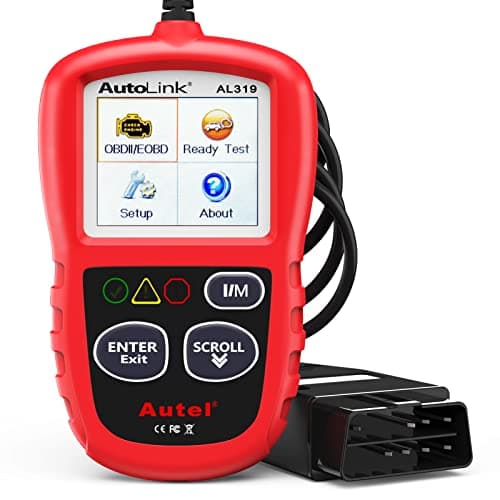
Autel AutoLink AL319The cheapest tool doing the scan tool job
TFT color, 220 x 1768.5
2
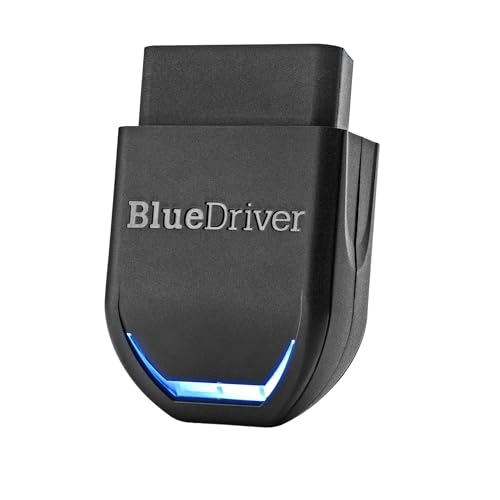
BlueDriver Pro, Amazon product photo
BlueDriver ProThe tool whose maker calls it a scan tool
Bluetooth to iOS and Android8.8
3
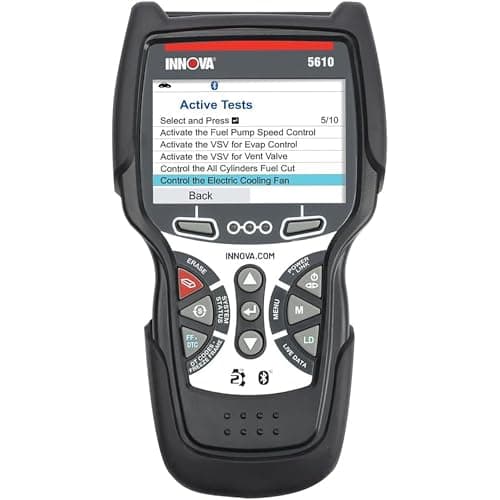
Innova 5610 CarScan Pro, Amazon product photo
Innova 5610 CarScan ProWhere the extra money starts buying capability
Engine, transmission, ABS, SRS8.8
4
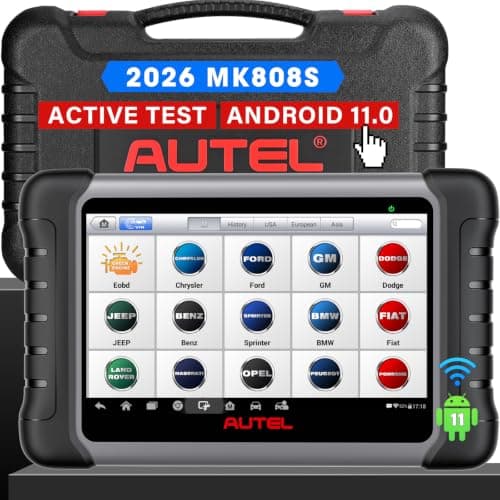
Autel MaxiCOM MK808S, Amazon product photo
Autel MaxiCOM MK808SWhat people picture when they say diagnostic tool
7 in capacitive touchscreen, 1024 x 6009.0
5
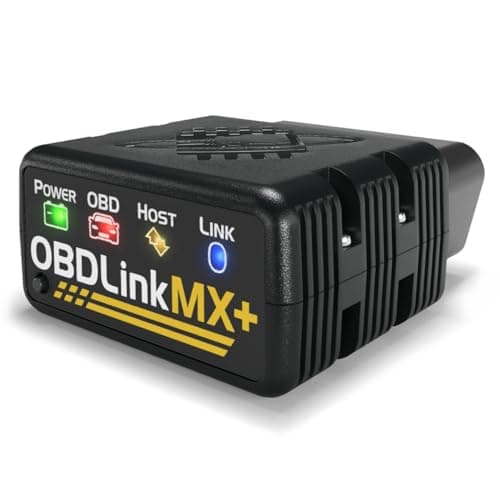
OBDLink MX+, Amazon product photo
OBDLink MX+Buys network reach, not a better label
All legislated OBD-II, plus Ford MS-CAN and GM SW-CAN8.6

Product photographs come from each product's own Amazon listing via the Associates program. They are the seller's images, not photographs of anything we own — we have no test rig and claim none.

Autel AutoLink AL319, Amazon product photo

Short answer: there is no difference. "OBD2 scanner", "scan tool" and "diagnostic tool" are three names for the same class of hardware, and no maker uses them consistently — BlueDriver sells a screenless Bluetooth dongle as a Pro Scan Tool while Autel sells a 7 in Android tablet as a MaxiCOM. The one word of the three that is defined anywhere is "scan tool", and SAE defines it as a minimum capability rather than a premium tier. So the words cannot rank the tools. Five published specifications can, and they are the ones below.

The short version

  • SAE J1978 is titled "OBD-II Scan Tool" and sets out the required capabilities and conformance criteria for one. It is a floor, not a ceiling.
  • Makers use the words interchangeably: BlueDriver publishes a dongle as a "Scan Tool"; Autel publishes a tablet as a "MaxiCOM"; Innova publishes a handheld as a "CarScan Pro".
  • Price does not buy more trouble codes. The generic OBD2 code list is standardized, so a $30 tool and a $3,000 tool read the same P0300.
  • What price buys is module count, the ability to command a component, manufacturer network reach, service functions, and the update policy.
  • Shop those five published figures. Ignore which of the three nouns is printed on the box.

Only one of the three words is defined anywhere

SAE publishes a recommended practice titled OBD-II Scan Tool — J1978, current revision J1978_202205, equivalent to ISO 15031-4. It covers the required capabilities of and conformance criteria for an OBD-II scan tool: the test equipment that interfaces with vehicle modules in support of the OBD-II diagnostic requirements.

Read that carefully, because the consequence is the opposite of what the phrase implies in a product listing. A scan tool, as defined, is the thing that can talk to the legislated OBD-II interface and return the legislated data. Reading stored and pending trouble codes, clearing them, returning freeze frame, reporting readiness monitors and streaming live parameters is the baseline. It is what the port was legally required to expose on every car sold in the US from 1996 onward. A tool that does only that is not falling short of being a scan tool; it is the definition of one.

"OBD2 scanner" and "diagnostic tool" have no definition at all. Nobody owns them, nothing certifies them, and no listing is making a claim you could hold it to by using them. We have not found a maker in this price class that publishes a J1978 conformance statement either — including the makers of the tools on this page. The standard is useful here for one reason only: it tells you the phrase describes a floor.

What the makers actually call their own products

The quickest way to prove the words are not a hierarchy is to line up the product names against the hardware they are printed on.

The maker's own published product name against the published capability, for the five tools compared here
ToolMaker's own word for itFormPublished systemsCan command?
Autel AutoLink AL319AutoLinkHandheld, 220 x 176 screenEngine (OBD2 generic + manufacturer codes)No
BlueDriver ProPro Scan ToolBluetooth dongle, no screenEngine, ABS, airbag (SRS), transmissionNo
FOXWELL NT301NT301Handheld, 2.8 in screenCAN OBDII / EOBD engine systemsNo
Innova 5610 CarScan ProCarScan ProHandheldEngine, transmission, ABS, SRSYes
Autel MaxiCOM MK808SMaxiCOM7 in Android tabletFull system, plus service functionsYes
OBDLink MX+MX+Bluetooth dongle, no screenLegislated OBD-II plus Ford MS-CAN, GM SW-CANNo
The maker's own published product name against the published capability, for the five tools compared here

The dongle sold as a "Scan Tool" cannot command a component. The handheld sold as a "CarScan Pro" can. The tablet that does the most is not sold using any of the three words. If the nouns tracked capability, that table would sort itself — and it does not.

The five things that actually separate them

1. How many modules it can address

This is the single biggest step in the category and it is the one buyers most often pay for by accident. FOXWELL publishes the NT301 as CAN OBDII / EOBD: engine systems. Autel publishes the AL319 the same way. BlueDriver and Innova both publish ABS, airbag and transmission on top of the engine. Autel publishes full-system access on the MK808S. The powertrain is the only module the OBD2 regulation ever required a car to expose through that port, so everything beyond it is a manufacturer-specific extension each tool maker has to implement — per make, sometimes per model year. Best OBD2 scanner for ABS and SRS is the page on buying for those two modules specifically.

2. Whether it can command, or only read

A bi-directional tool can tell a module to do something — run the fuel pump, cycle an ABS solenoid, bleed brakes electronically — rather than only asking what the module recorded. Innova publishes bi-directional control on the 5610; Autel publishes active tests on the MK808S. Neither dongle on this page does it, whatever each is called. This is the capability most worth paying for if you intend to do the jobs that need it, and the easiest to over-buy if you do not. Bidirectional vs basic OBD2 scanners goes through which jobs actually require commanding.

3. Manufacturer network reach

Some makes run their body and chassis modules on a second bus the legislated interface does not touch. OBDLink is the one maker here that publishes exactly which ones it reaches: Ford MS-CAN and GM SW-CAN, and no others. That is a specification you can check against your own car before you pay. It is also a specification that is worth nothing to you if you do not own a Ford or a GM — which is why our Toyota page argues a Toyota owner should not pay for it.

4. Service functions

Oil reset, electronic parking brake retraction, steering angle sensor calibration, DPF regeneration, battery registration. These are the procedures that leave a warning light on after the mechanical work is finished, and they are the real reason a home mechanic ends up at tablet money. Autel publishes a list of them for the MK808S. The cheaper tools on this page publish none, and do not claim to.

5. What keeps working, and what it costs

BlueDriver states "Subscription: None". Innova states free updates with no subscription. Autel does not publish an update policy on the MK808S specification page, which is a gap worth knowing about before you buy, not after. Best OBD2 scanners without a subscription ranks the field on exactly this, using only what each maker publishes.

What a more expensive tool does not buy you

It does not buy more trouble codes. The generic powertrain code list — P0171, P0300, P0420 and the rest — is standardized, which means the $30 handheld and the shop's rolling cart read the identical five characters off the identical module. If somebody tells you a cheap reader "missed" a generic code, the likelier explanations are that the code was stored in a module the cheap tool cannot address at all, or that it was a manufacturer-specific code rather than a generic one.

It also does not buy an interpretation. Every tool on this page hands you a code; what you do with it is the actual repair decision, and the tool that helps most there is the one with a repair-report feature rather than the one with the biggest screen. How to use an OBD2 scanner covers reading the result properly.

So what should you search for?

Search the capability, not the noun. If you want to read and clear an engine light on a car you already own, a tool at AL319 or NT301 money does the whole job and you can stop reading product names. If you want ABS and airbag codes without a subscription, BlueDriver publishes that coverage and states the subscription terms. If you want to command a component, you need published bi-directional control, which starts around the Innova 5610. If you want service resets after a brake or battery job, you want a published service-function list, which in practice means a tablet.

The one search term worth using for its own sake is your own make. Coverage of the modules beyond the engine is implemented per manufacturer, so our main scanner roundup and the make-specific pages rank the same field on what each maker publishes about your car, rather than on which of three interchangeable nouns is on the packaging.

The verdict

"OBD2 scanner" versus "scan tool" is not a real comparison, and anybody selling it as one is selling you the word. SAE defines the scan tool as the baseline interface to the legislated OBD-II data, every tool on this page clears that bar, and from there the hardware diverges on five published figures: modules, commanding, network reach, service functions and updates. Buy against those. For most people reading this, the honest answer is that the dongle sold as a "Scan Tool" is more tool than they need and the handheld sold as an "AutoLink" is enough.

The picks in full

Every pick, in detail

Autel AutoLink AL319, Amazon product photo

1. The cheapest tool doing the scan tool job

Autel AutoLink AL319

Autel · score 8.5/10

A one-button emissions-readiness check, live PCM data and freeze frame on a color screen — everything a first check-engine light actually requires.

Generic, pending and manufacturer-specific codes, freeze frame, a live PCM datastream, and VIN / CIN / CVN on a 220 x 176 color screen, for 1996-and-newer OBD2 vehicles. Read Autel's own specification list and then read what an OBD-II scan tool is defined to do, and the overlap is almost total — which is the whole point of this page. Autel calls this one an "AutoLink", not a scan tool, and it costs less than a tank of fuel. Against it: engine systems only, no ABS or airbag, a screen too small to read a graph on, and no ability to command anything.

Published specifications

Display
TFT color, 220 x 176 Autel
Codes
Generic, manufacturer-specific and pending Autel
Live data
Live PCM datastream Autel
Freeze frame
Yes Autel
Vehicle info
VIN, CIN, CVN Autel
Coverage
OBD2-compliant vehicles, 1996 and newer Autel

What works

  • One-click I/M readiness key answers the pre-smog-test question instantly
  • No phone, no app, no pairing — plug in and read
  • Color-coded pass/fail display plus an audible tone

What you give up

  • Engine and emissions only — it will not read ABS or airbag codes
  • No bi-directional control
  • 220 x 176 screen shows very little live data at once

Our scoring

  • Fit & reach7.4
  • Safety margin8.0
  • Beginner ease9.6
  • Build quality8.2
  • Value9.4
$29.99 · View on Amazon

$35.99 17% off

#ad Price as of November 16, 2026. How this is funded

Specifications published by Autel — we earn nothing from that link.

BlueDriver Pro, Amazon product photo

2. The tool whose maker calls it a scan tool

BlueDriver Pro

BlueDriver · score 8.8/10

A Bluetooth dongle that reads enhanced ABS, airbag and transmission codes with no subscription, and hands you a repair report instead of a raw code.

BlueDriver publishes this product as a "Scan Tool" — and it is a Bluetooth dongle the size of a matchbox with no screen of its own. What the price actually buys is module reach: enhanced ABS, airbag (SRS) and transmission codes on 1996-and-newer cars, SUVs and light trucks sold in North America, with "Subscription: None" stated outright and a repair report instead of a bare code. It is the clearest single example of the problem this page is about: the word on the box is identical to the word on a $900 Snap-on, and the hardware is not. Against it: your phone is the screen, so a dead battery ends the session, and it cannot command a component.

Published specifications

Connection
Bluetooth to iOS and Android BlueDriver
Coverage
1996 and newer cars, SUVs and light trucks sold in North America BlueDriver
Enhanced systems
ABS, airbag (SRS), transmission BlueDriver
Subscription
None BlueDriver
Reports
Repair Reports built from verified fixes BlueDriver

What works

  • Reads the enhanced ABS and airbag codes most cheap readers cannot
  • Repair reports translate a code into a likely cause
  • No subscription — the price is the price

What you give up

  • Useless if your phone is dead
  • Enhanced coverage depends on the make
  • No bi-directional actuator control

Our scoring

  • Fit & reach8.8
  • Safety margin8.4
  • Beginner ease9.4
  • Build quality8.6
  • Value8.8
$99.95 · View on Amazon

#ad Price as of November 16, 2026. How this is funded

Specifications published by BlueDriver — we earn nothing from that link.

Innova 5610 CarScan Pro, Amazon product photo

3. Where the extra money starts buying capability

Innova 5610 CarScan Pro

Innova · score 8.8/10

All-system diagnostics with bi-directional control and live ABS, SRS and transmission data — and Innova states updates are free with no subscription.

Engine, transmission, ABS and SRS, bi-directional control, live data including transmission temperature and TPMS, and free updates with no subscription. This is the first rung on this page where the hardware does something a code reader genuinely cannot: it can be told to actuate a component rather than only asked what it recorded. Innova calls it a "CarScan Pro". Two honest limits: Innova states US and Canada coverage only, and its own coverage checker is the thing to use before buying, not a brand name on a page.

Published specifications

Systems
Engine, transmission, ABS, SRS Innova
Bi-directional
Yes Innova
Live data
Engine, ABS, SRS, transmission (incl. temperature), TPMS Innova
Updates
Free, no subscription Innova
Coverage
OBD2 vehicles 1996+; US and Canada only Innova

What works

  • Bi-directional control without a subscription
  • Transmission fluid temperature readout, which many fluid changes require
  • Free updates keep the tool useful for years

What you give up

  • Innova states it works only in the US and Canada
  • More menus than a beginner needs on day one
  • Corded handheld, not a tablet

Our scoring

  • Fit & reach9.0
  • Safety margin8.6
  • Beginner ease8.2
  • Build quality8.6
  • Value9.0
$349.99 · View on Amazon

#ad Price as of November 16, 2026. How this is funded

Specifications published by Innova — we earn nothing from that link.

Autel MaxiCOM MK808S, Amazon product photo

4. What people picture when they say diagnostic tool

Autel MaxiCOM MK808S

Autel · score 9.0/10

A 7 in Android 11 tablet that reads and clears codes on all available systems and performs bi-directional active tests — the point where a scanner stops being a code reader.

A 7 in, 1024 x 600 Android 11 tablet on a quad-core 1.8 GHz processor, with bi-directional active tests and a published service-function list — oil reset, electronic parking brake, steering angle sensor, DPF, injector coding and battery registration. The service functions are the honest reason to buy at this level: they are the jobs that leave a warning light on after the repair is done. Autel markets it as a "MaxiCOM", which is not one of our three words at all. Against it: it costs several times the dongle, it is a second device to charge, and Autel does not publish an update policy on the specification page.

Published specifications

Display
7 in capacitive touchscreen, 1024 x 600 Autel
Processor
Cortex-A55 quad-core 1.8 GHz Autel
OS
Android 11 Autel
Battery
3.7 V / 5000 mAh Autel
Bi-directional
Yes — active tests Autel
Service functions
Oil reset, EPB, SAS, DPF, injector, battery registration Autel

What works

  • Reads and clears codes across all available modules, not just the engine
  • Bi-directional active tests let you command a component instead of guessing
  • Wi-Fi updates and a real battery — it works away from a laptop

What you give up

  • Far more tool than a first-time owner needs to read a check-engine light
  • Function coverage varies by make and model year
  • A tablet is one more device to keep charged

Our scoring

  • Fit & reach9.4
  • Safety margin8.6
  • Beginner ease8.0
  • Build quality9.0
  • Value8.2
$378.93 · View on Amazon

$479.00 21% off

#ad Price as of November 16, 2026. How this is funded

Specifications published by Autel — we earn nothing from that link.

Method

How these picks were chosen

We did not test these tools. We do not run a laboratory, we have not loaded a jack to failure or checked a wrench on a calibration bench, and we will not tell you otherwise. What we did instead is read the published manufacturer specifications, check the figures that matter against the safety standard that applies to portable automotive lifting equipment, and work out which tool suits which job. Every number on this page links to where it came from, so you can check us.

The five things we score are the five that decide a first purchase: will it fit under and lift your car, how much safety margin the rating and the locking mechanism leave you, how hard it is to get right alone in a driveway, what the materials and published standards say about how long it lasts, and what the money buys against the rest of the field.

Read the full method — including how we pick a top pick, and how prices get on the page.

Questions

Frequently asked questions

+Is a scan tool the same thing as an OBD2 scanner?

In practice yes. The makers use the two phrases for the same hardware — BlueDriver publishes a screenless Bluetooth dongle as a "Scan Tool", and plenty of handhelds with more capability are sold as "scanners". Neither word tells you how many modules the tool can address.

+Does a scan tool have an official definition?

Yes, and it is narrower than the marketing implies. SAE J1978, titled "OBD-II Scan Tool", sets out the required capabilities and conformance criteria for test equipment that interfaces with the OBD-II diagnostic requirements. It describes a minimum capability, not a professional tier.

+Will an expensive scan tool read codes a cheap one misses?

Not generic powertrain codes — those are standardized and read identically on every compliant tool. What an expensive tool reads that a cheap one cannot is codes stored in other modules: ABS, airbag, transmission, body. That is a module-access difference, not a code-reading one.

+What is a diagnostic tool, then?

Nothing specific. It is the broadest of the three words and no standard defines it, so it gets applied to everything from a $25 dongle to a shop cart. Treat it as a category name and read the specification underneath it.

+Which should a first-time buyer get?

Buy on the job, not the noun: a handheld at the cheapest tier for reading and clearing engine codes, a dongle with published enhanced coverage if you want ABS and airbag data, and a tablet only if you need service resets. Best OBD2 scanner for beginners works through that choice.

Sources

Where these figures come from

Read next

Related reading