Skip to content
JACK & TORQUE

Roundup

Best OBD2 Scanner for a Nissan

No aftermarket tool publishes a Nissan-specific network, so protocol reach is not what you are buying. Published module coverage is.

By Ryder M. · Published October 29, 2026 · Last reviewed October 29, 2026

We earn a commission when you buy through the Amazon links on this page, at no extra cost to you. It never changes which tool we put first, and we publish no price we have not verified. How this site is funded.

Best OBD2 Scanner for a Nissan — ranked picks with scores and a price check for each
#PickKey capabilityScorePrice
1
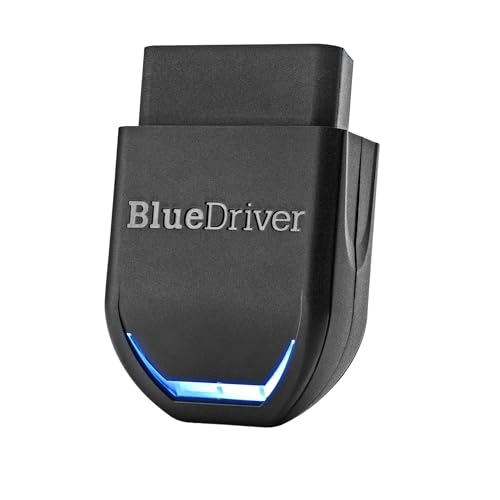
BlueDriver Pro, Amazon product photo
BlueDriver ProBest for most Nissan and Infiniti owners
Bluetooth to iOS and Android8.8
2
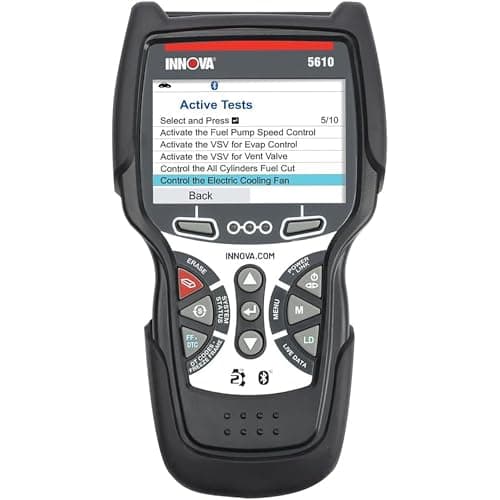
Innova 5610 CarScan Pro, Amazon product photo
Innova 5610 CarScan ProBest if you want to watch transmission temperature
Engine, transmission, ABS, SRS8.8
3
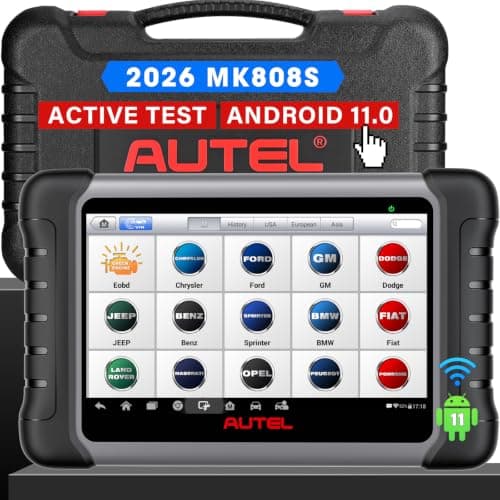
Autel MaxiCOM MK808S, Amazon product photo
Autel MaxiCOM MK808SBest for service resets after the job
7 in capacitive touchscreen, 1024 x 6009.0
4
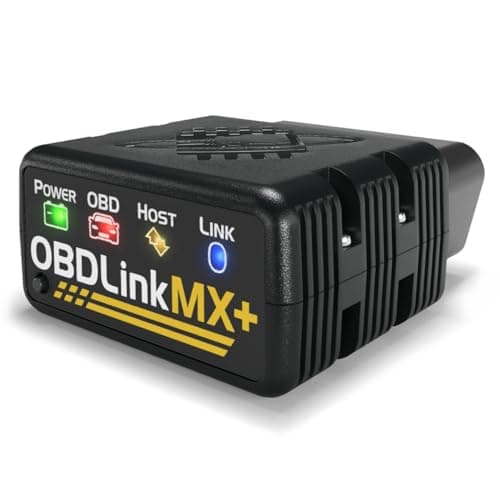
OBDLink MX+, Amazon product photo
OBDLink MX+Strong tool, wrong reason to buy it here
All legislated OBD-II, plus Ford MS-CAN and GM SW-CAN8.6
5
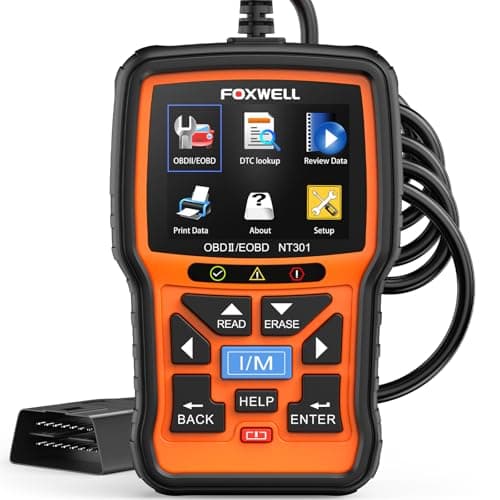
FOXWELL NT301, Amazon product photo
FOXWELL NT301Cheapest way to read a Nissan engine light
2.8 in TFT color8.4

Product photographs come from each product's own Amazon listing via the Associates program. They are the seller's images, not photographs of anything we own — we have no test rig and claim none.

BlueDriver Pro, Amazon product photo

Short answer: buy the BlueDriver Pro. On a Nissan the useful published fact is not a protocol — no aftermarket tool we have found names a Nissan-specific network the way OBDLink names Ford MS-CAN and GM SW-CAN — it is module coverage without a model-year cutoff, and BlueDriver lists Nissan, Infiniti and Renault flat, while listing Honda from 2003, BMW from 2005, Mitsubishi from 2008 and Hyundai/Kia from 2011. If you want to watch transmission temperature on a CVT car, step up to the Innova 5610. If you need service resets after a repair, you need a tablet.

The short version

  • What we ranked on: published module access, whether the tool can command a component, published transmission live data, service functions, and the stated update policy. No tool was ranked on a brand name.
  • Nissan, Infiniti and Renault appear together in BlueDriver's published enhanced-coverage list, with no model-year qualifier — unlike most makes on the same list.
  • No tool in our registry publishes a Nissan-specific bus. OBDLink names Ford MS-CAN and GM SW-CAN only, so network reach is not a Nissan buying argument.
  • Innova is the tool that publishes transmission temperature in live data — the figure a CVT owner most often wants.
  • Nissan keeps its own service information and CONSULT software behind its TechInfo portal. No consumer tool is a substitute for dealer-level software, and none of these claims to be.

What actually changes when the car is a Nissan

Every OBD2 tool on sale reads the same legislated powertrain data out of the same 16-pin port, on every 1996-and-newer car sold in the US. That part is not make-specific and never has been. What is make-specific is everything past the powertrain: the ABS module, the airbag module, the transmission controller and the body modules are reached through manufacturer-specific extensions that each tool maker implements one make at a time — which is why a page like this one exists at all.

On a Ford or a GM, that story has a protocol chapter: those makes run modules on a second bus, OBDLink publishes support for both by name, and the premium is justifiable on the specification sheet. Our Ford page and our GM page are built on that fact. On a Nissan there is no equivalent published claim to point at. We went looking for one and found nothing in any maker's specification — so this page does not invent one. The Nissan-shaped questions turn out to be different: how far back does the coverage go, and can the tool show you what the transmission is doing?

The year cutoff is the fact worth paying attention to

BlueDriver publishes its enhanced-coverage list by manufacturer group, and the list is more informative than it first looks because of the qualifiers it attaches to some makes and not others.

Model-year qualifiers in BlueDriver's own published enhanced-coverage list, selected makes
Manufacturer groupAs publishedYear qualifier
Nissan, Infiniti, RenaultListed togetherNone stated
Toyota, Lexus, ScionListed togetherNone stated
MazdaAll modelsNone stated
Honda, AcuraNorth America2003 and newer
BMW, MiniNorth America2005 and newer
MitsubishiListed2008 and newer
Hyundai, KiaListed2011 and newer
Model-year qualifiers in BlueDriver's own published enhanced-coverage list, selected makes

If you drive a 2004 Altima or a 2007 Infiniti G35, that difference is the whole ballgame: the same dongle that would be a partial answer on an equivalent-age Hyundai is listed without a cutoff on yours. BlueDriver still publishes a per-vehicle compatibility checker, and you should use it on your own VIN rather than trusting a table — a published list is a starting point, not a guarantee about one specific car. But as a buying signal, an absent qualifier is better evidence than any adjective in a product listing.

The CVT question, and the one figure that answers it

Nissan states that its Xtronic CVT is available on most vehicles across its lineup, and CVT fluid temperature is the value owners ask about more than any other — during a long grade, in summer traffic, or when towing within the car's rating. Only two tools in our registry publish transmission temperature as data they can show you: Innova lists it among the 5610's live data, and OBDLink lists it in the MX+ enhanced data set. Both are useful here, and they are useful in different ways — the Innova shows it on its own screen with no phone involved, the OBDLink logs it at a much higher sample rate through an app.

Two honest caveats before you buy on this basis. First, check what transmission your specific car has; not every Nissan sold in the US is a CVT, and a manual or a conventional automatic changes what is worth watching. Second, neither maker names Nissan when publishing that capability, so whether the value is exposed on your car is a question for the maker's coverage checker, not for us. Best OBD2 scanner for transmission data is the page that ranks the whole field on this one capability.

The five tools on published specification

Published systems, commanding, transmission data and update terms for the five tools ranked here
ToolPublished systemsBi-directionalTransmission temperatureUpdate terms
BlueDriver ProEngine, ABS, airbag (SRS), transmissionNoNot publishedSubscription: None
Innova 5610 CarScan ProEngine, transmission, ABS, SRSYesPublished in live dataFree, no subscription
Autel MaxiCOM MK808SFull system plus service functionsYesNot publishedNot published
OBDLink MX+Legislated OBD-II plus Ford MS-CAN, GM SW-CANNoPublished in enhanced dataNot published
FOXWELL NT301CAN OBDII / EOBD engine systemsNoNot publishedNot published
Published systems, commanding, transmission data and update terms for the five tools ranked here

"Not published" in that table means exactly that: the maker does not state it on the specification page we cite at the foot of this page. It is not a claim that the tool cannot do it. We would rather show you the gap than fill it in from a retailer listing.

Where an aftermarket tool stops, on any Nissan

Nissan runs its own service information and diagnostic software channel — the Nissan and Infiniti TechInfo portal — which is where its CONSULT software and factory service information live. No consumer scanner on this page is a substitute for it, and none of them claim to be. What that means in practice is simple and worth saying plainly: a consumer tool reads and clears codes, shows live data, and on the better models commands a component. Module reprogramming, immobilizer and key work, and some calibrations stay dealer-side.

That is not a reason to skip buying a tool. It is the reason to buy the cheapest one that covers the modules you actually need, rather than the most expensive one on the shelf in the hope it eventually turns into dealer software. OBD2 scanner vs scan tool explains why the words on the box do not tell you where that line falls.

Which one should you buy?

If you own one Nissan and want to understand its warning lights without a subscription, buy the BlueDriver Pro: the published coverage names your make without a year cutoff, it reaches the three modules beyond the engine that matter on a road car, and the repair report is more use to a beginner than a bigger screen. If you drive a CVT car and want to see transmission temperature on a device that needs no phone, buy the Innova 5610 and check its coverage tool first. If you are doing brake or battery work that ends in a reset, buy the Autel MK808S. If you want to log an intermittent fault at high resolution, buy the OBDLink MX+ for the sample rate and ignore the network marketing. And if you just want the code off the dash for the cheapest defensible money, the FOXWELL NT301 does that and nothing else.

One last piece of advice that applies to every make: buy the scanner before you need it. A tool that is already in the glovebox when a light comes on turns a panicked trip into a ten-minute read in a parking lot. Best OBD2 scanner for beginners is the page we would point a first-time buyer at.

The picks in full

Every pick, in detail

BlueDriver Pro, Amazon product photo

1. Best for most Nissan and Infiniti owners

BlueDriver Pro

BlueDriver · score 8.8/10

A Bluetooth dongle that reads enhanced ABS, airbag and transmission codes with no subscription, and hands you a repair report instead of a raw code.

BlueDriver's published enhanced-coverage list names Nissan, Infiniti and Renault together — and does it without a model-year qualifier, which several other makes on the same list carry. Honda and Acura are listed as 2003 and newer, BMW and Mini as 2005 and newer, Mitsubishi as 2008 and newer, Hyundai and Kia as 2011 and newer. Nissan is listed flat. On top of the engine codes that any tool reads, that coverage is enhanced ABS, airbag (SRS) and TPMS access, with "Subscription: None" stated outright and a repair report generated from verified fixes rather than a bare five-character code. For an older Nissan in particular, the absence of a year cutoff is the single most useful published fact on this page. Against it: your phone is the screen, BlueDriver's coverage statement is for vehicles sold in North America, and it cannot command a component — if you need to actuate something, this is not the tool.

Published specifications

Connection
Bluetooth to iOS and Android BlueDriver
Coverage
1996 and newer cars, SUVs and light trucks sold in North America BlueDriver
Enhanced systems
ABS, airbag (SRS), transmission BlueDriver
Subscription
None BlueDriver
Reports
Repair Reports built from verified fixes BlueDriver

What works

  • Reads the enhanced ABS and airbag codes most cheap readers cannot
  • Repair reports translate a code into a likely cause
  • No subscription — the price is the price

What you give up

  • Useless if your phone is dead
  • Enhanced coverage depends on the make
  • No bi-directional actuator control

Our scoring

  • Fit & reach8.8
  • Safety margin8.4
  • Beginner ease9.4
  • Build quality8.6
  • Value8.8
$99.95 · View on Amazon

#ad Price as of November 16, 2026. How this is funded

Specifications published by BlueDriver — we earn nothing from that link.

Innova 5610 CarScan Pro, Amazon product photo

2. Best if you want to watch transmission temperature

Innova 5610 CarScan Pro

Innova · score 8.8/10

All-system diagnostics with bi-directional control and live ABS, SRS and transmission data — and Innova states updates are free with no subscription.

Engine, transmission, ABS and SRS with bi-directional control, free updates with no subscription, and — the reason it is this high on a Nissan page — live data that Innova explicitly lists as including transmission temperature, along with TPMS. Nissan states its Xtronic CVT is available on most vehicles across its lineup, and fluid temperature is the value owners of a continuously-variable transmission most often want to see for themselves during a long climb or a tow. Check your own car's transmission before buying on this basis. Against it: Innova states US and Canada coverage only, it does not name Nissan anywhere in its specifications — use Innova's own coverage checker before you pay — and it costs meaningfully more than the dongle above it.

Published specifications

Systems
Engine, transmission, ABS, SRS Innova
Bi-directional
Yes Innova
Live data
Engine, ABS, SRS, transmission (incl. temperature), TPMS Innova
Updates
Free, no subscription Innova
Coverage
OBD2 vehicles 1996+; US and Canada only Innova

What works

  • Bi-directional control without a subscription
  • Transmission fluid temperature readout, which many fluid changes require
  • Free updates keep the tool useful for years

What you give up

  • Innova states it works only in the US and Canada
  • More menus than a beginner needs on day one
  • Corded handheld, not a tablet

Our scoring

  • Fit & reach9.0
  • Safety margin8.6
  • Beginner ease8.2
  • Build quality8.6
  • Value9.0
$349.99 · View on Amazon

#ad Price as of November 16, 2026. How this is funded

Specifications published by Innova — we earn nothing from that link.

Autel MaxiCOM MK808S, Amazon product photo

3. Best for service resets after the job

Autel MaxiCOM MK808S

Autel · score 9.0/10

A 7 in Android 11 tablet that reads and clears codes on all available systems and performs bi-directional active tests — the point where a scanner stops being a code reader.

A 7 in, 1024 x 600 Android 11 tablet with bi-directional active tests and a published service-function list: oil reset, electronic parking brake, steering angle sensor, DPF, injector coding and battery registration. On any make, those procedures are what leaves a light on after the mechanical repair is finished, and a Nissan is no different — a battery swap or a rear brake job on a car with an electronic parking brake is exactly the situation this buys you out of. Against it: it is several times the price of the BlueDriver, Autel publishes no update policy on the specification page, and it is another device to keep charged. Nothing in its specification is Nissan-specific.

Published specifications

Display
7 in capacitive touchscreen, 1024 x 600 Autel
Processor
Cortex-A55 quad-core 1.8 GHz Autel
OS
Android 11 Autel
Battery
3.7 V / 5000 mAh Autel
Bi-directional
Yes — active tests Autel
Service functions
Oil reset, EPB, SAS, DPF, injector, battery registration Autel

What works

  • Reads and clears codes across all available modules, not just the engine
  • Bi-directional active tests let you command a component instead of guessing
  • Wi-Fi updates and a real battery — it works away from a laptop

What you give up

  • Far more tool than a first-time owner needs to read a check-engine light
  • Function coverage varies by make and model year
  • A tablet is one more device to keep charged

Our scoring

  • Fit & reach9.4
  • Safety margin8.6
  • Beginner ease8.0
  • Build quality9.0
  • Value8.2
$378.93 · View on Amazon

$479.00 21% off

#ad Price as of November 16, 2026. How this is funded

Specifications published by Autel — we earn nothing from that link.

FOXWELL NT301, Amazon product photo

5. Cheapest way to read a Nissan engine light

FOXWELL NT301

FOXWELL · score 8.4/10

A 2.8 in color screen that graphs live sensor data and flags emissions readiness with colored LEDs — a diagnostic step up from a bare code reader.

A self-contained 2.8 in handheld: CAN OBDII / EOBD engine systems, live data in text and graph form, freeze frame, and red / yellow / green readiness LEDs plus a speaker so an emissions-readiness check is a glance rather than a menu dive. No phone, no app, no account — it works on a car whose battery you just disconnected and a phone you just flattened. For the common case, a check engine light on a Sentra or an Altima, this reads the code that any tool on this page reads. Against it: FOXWELL publishes engine systems only, so no ABS, no airbag, no transmission module, and no commanding. If the light you are chasing is an airbag or ABS light, this tool cannot see it.

Published specifications

Display
2.8 in TFT color FOXWELL
Standards
CAN OBDII / EOBD FOXWELL
Live data
Text and graph FOXWELL
Freeze frame
Yes FOXWELL
Indicators
Red / yellow / green LEDs plus speaker FOXWELL

What works

  • Graphs live sensor data, which is how you catch an intermittent fault
  • I/M readiness hot key and LED status — glanceable
  • Saves test results for review away from the car

What you give up

  • FOXWELL does not publish ABS or SRS coverage for this model — treat it as engine and emissions only
  • Corded, so you work at the dash
  • Updates require a computer

Our scoring

  • Fit & reach7.6
  • Safety margin8.0
  • Beginner ease9.0
  • Build quality8.2
  • Value9.2
$55.95 · View on Amazon

$69.99 20% off

#ad Price as of November 16, 2026. How this is funded

Specifications published by FOXWELL — we earn nothing from that link.

Method

How these picks were chosen

We did not test these tools. We do not run a laboratory, we have not loaded a jack to failure or checked a wrench on a calibration bench, and we will not tell you otherwise. What we did instead is read the published manufacturer specifications, check the figures that matter against the safety standard that applies to portable automotive lifting equipment, and work out which tool suits which job. Every number on this page links to where it came from, so you can check us.

The five things we score are the five that decide a first purchase: will it fit under and lift your car, how much safety margin the rating and the locking mechanism leave you, how hard it is to get right alone in a driveway, what the materials and published standards say about how long it lasts, and what the money buys against the rest of the field.

Read the full method — including how we pick a top pick, and how prices get on the page.

Questions

Frequently asked questions

+Do I need a Nissan-specific scanner?

No. We found no aftermarket tool that publishes a Nissan-specific network the way OBDLink publishes Ford MS-CAN and GM SW-CAN, so there is no protocol premium to pay on a Nissan. What varies between tools is which modules they can address — engine only, or ABS and airbag and transmission as well.

+Will a cheap scanner read ABS and airbag codes on a Nissan?

Usually not. FOXWELL publishes the NT301 as engine systems only, and Autel publishes the AL319 the same way. BlueDriver publishes enhanced ABS, airbag and TPMS coverage with Nissan and Infiniti named in its list, which is why it wins this page.

+Can an OBD2 scanner read Nissan CVT fluid temperature?

Some can show transmission temperature: Innova lists it in the 5610's live data and OBDLink lists it in the MX+ enhanced data set. Whether the value is exposed on your specific car is a question for each maker's coverage checker — neither names Nissan when publishing the capability.

+Does any consumer scanner replace Nissan CONSULT?

No. Nissan keeps its factory service information and CONSULT software behind its own TechInfo portal. A consumer tool reads and clears codes, shows live data and, on better models, commands components. Reprogramming and key work stay dealer-side.

+Does the same answer apply to Infiniti?

For coverage purposes, yes — BlueDriver lists Nissan, Infiniti and Renault together in one enhanced-coverage group with no model-year qualifier. Verify your own vehicle in the compatibility checker before buying.

Sources

Where these figures come from

Read next

Related reading