Skip to content
JACK & TORQUE

Alternatives

BlueDriver Alternatives

BlueDriver sells enhanced module access with no subscription. Three of these match that, and one adds a feature it does not have.

By Ryder M. · Published November 10, 2026 · Last reviewed November 10, 2026

We earn a commission when you buy through the Amazon links on this page, at no extra cost to you. It never changes which tool we put first, and we publish no price we have not verified. How this site is funded.

BlueDriver Alternatives — ranked picks with scores and a price check for each
#PickKey capabilityScorePrice
1
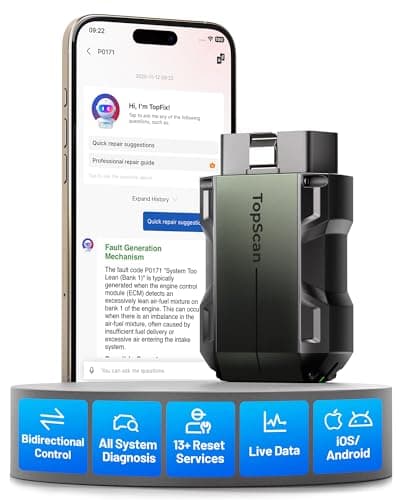
TOPDON TopScan Pro, Amazon product photo
TOPDON TopScan ProBest alternative - adds what BlueDriver does not do
Bluetooth to iOS and Android8.6
2
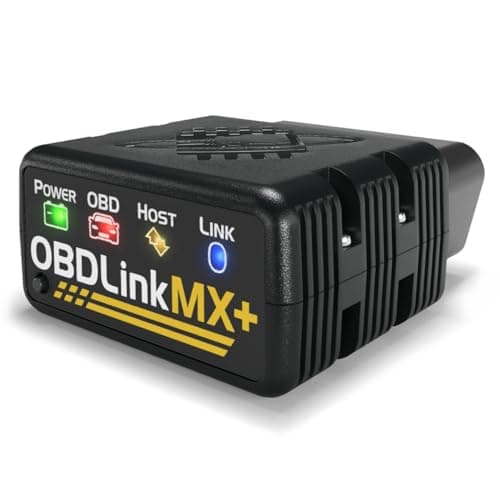
OBDLink MX+, Amazon product photo
OBDLink MX+Best alternative on protocol reach
All legislated OBD-II, plus Ford MS-CAN and GM SW-CAN8.6
3
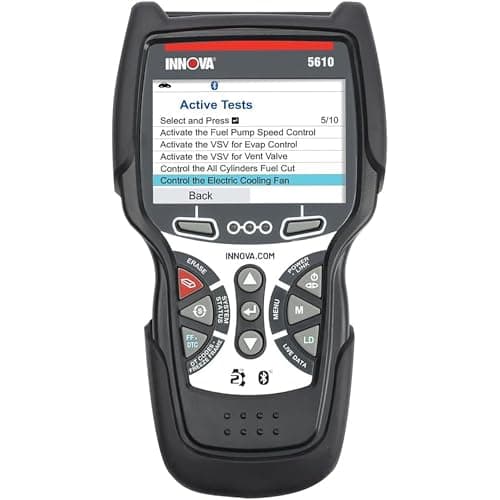
Innova 5610 CarScan Pro, Amazon product photo
Innova 5610 CarScan ProBest alternative if you would rather not use a phone
Engine, transmission, ABS, SRS8.8
4
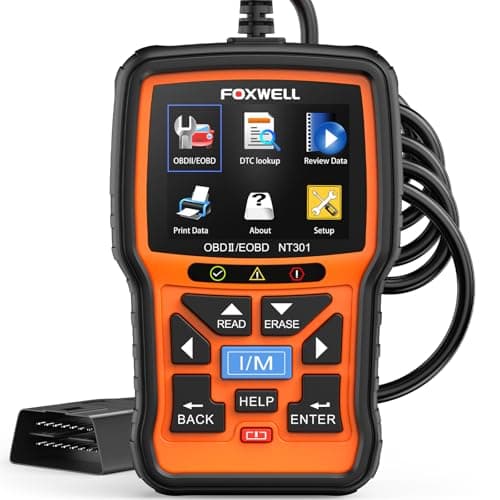
FOXWELL NT301, Amazon product photo
FOXWELL NT301Budget pick - the cheapest alternative that does the job
2.8 in TFT color8.4

Product photographs come from each product's own Amazon listing via the Associates program. They are the seller's images, not photographs of anything we own — we have no test rig and claim none.

TOPDON TopScan Pro, Amazon product photo

Verdict first: the TOPDON TopScan Pro is the best BlueDriver alternative, because it is the same kind of tool - a Bluetooth dongle driven by a phone app - and publishes the one thing BlueDriver's specification does not: bi-directional control. If the attraction was reaching modules beyond the engine, the OBDLink MX+ publishes Ford MS-CAN and GM SW-CAN support plus a 100-sample-per-second data rate. If you would rather not involve a phone, the Innova 5610 does the same job as a handheld with free updates. The budget pick is the FOXWELL NT301.

If you want bi-directional control

BlueDriver's published specification describes reading and reporting: codes, live data, enhanced module access, Repair Reports. It does not claim the ability to command a component to operate. That is the feature called bi-directional control, and in the same dongle-plus-app format TOPDON publishes it on the TopScan Pro. The practical difference is in tests you would otherwise do by substitution - cycling a cooling fan to check a relay, running an ABS pump during a bleed, actuating an EVAP valve. Bi-directional vs basic OBD2 scanners is the honest assessment of how often a home mechanic needs it.

If you want a specific make's network

This is where OBDLink is the better answer and it is a published distinction rather than a judgment. OBDLink names Ford MS-CAN and GM SW-CAN on the MX+ - two manufacturer networks beyond the legislated OBD-II set - which is exactly the kind of reach a Ford or GM owner is looking for. Best OBD2 scanner for Ford and best OBD2 scanner for GM work through what those networks carry. For Chrysler, Dodge, Jeep and Ram, the relevant published capability is FCA AutoAuth and CAN FD, which TOPDON lists.

If you want to spend less

Be clear about what you are giving up. A cheaper handheld code reader like the FOXWELL NT301 publishes generic OBD-II support, live data in text and graph form and freeze frame - which covers the check engine light completely - and publishes no enhanced module access at all. If the reason you were looking at BlueDriver was an ABS light or an airbag light, a cheaper code reader does not substitute for it at any price. Best OBD2 scanner for ABS and SRS is the page for that intent, and OBD2 scanner vs code reader draws the line between the two classes of tool.

BlueDriver against the alternatives, on published specifications

Published format, bi-directional capability, enhanced systems and subscription terms
ToolFormatBi-directionalEnhanced systemsSubscription
BlueDriver ProDongle + phone appNot claimedABS, airbag (SRS), transmissionNone
TOPDON TopScan ProDongle + phone appYesFull-system code readingNot published
OBDLink MX+Dongle + phone appNot claimedABS, SRS, TPMS, A/C, transmission tempNot published
Innova 5610HandheldYesEngine, transmission, ABS, SRSNone - free updates
FOXWELL NT301HandheldNoNone - generic OBD-II onlyNone
Published format, bi-directional capability, enhanced systems and subscription terms

The honest reading of that table: BlueDriver is not beaten on its own ground by a cheaper tool. It is beaten on bi-directional control by TOPDON, on named manufacturer networks by OBDLink, and on format by Innova - and matched on the no-subscription promise by two of the four.

When BlueDriver is still the right buy

If you want enhanced ABS, airbag and transmission access, no subscription, a published per-make compatibility list and a report you can hand to a shop, BlueDriver publishes all of that and there is no reason to look for a substitute. The Repair Reports feature in particular has no equivalent on this page - it is a database product bundled with a dongle, and nothing else here claims it. We earn a commission on BlueDriver as well as on every alternative listed, so there is nothing in this page for us either way.

What we would buy

The TOPDON TopScan Pro, if the reason you are here is that you want to command components rather than only read them. The OBDLink MX+ if your car is a Ford or a GM and the extra named networks are the attraction. The Innova 5610 if a self-contained handheld with free updates suits you better than a phone app. The FOXWELL NT301 if the job really is just the check engine light. And BlueDriver itself if enhanced ABS and airbag access with no subscription is what you wanted in the first place - in which case nothing here is an upgrade.

The same question, asked of the other big name

BlueDriver is the dongle people price against; Autel is the tablet. If the tool you have actually been looking at is the second of those, Autel alternatives runs this same exercise on it - what Autel publishes, which of those capabilities can be bought for far less, and the two that cannot.

The picks in full

Every pick, in detail

TOPDON TopScan Pro, Amazon product photo

1. Best alternative - adds what BlueDriver does not do

TOPDON TopScan Pro

TOPDON · score 8.6/10

A Bluetooth dongle with bi-directional control, a full-system scan and 13 maintenance services — capability that used to need a tablet.

The strongest reason to look past BlueDriver is bi-directional control, and TOPDON publishes it: Bluetooth to iOS and Android, bi-directional control, full-system code reading, 13 maintenance service functions, and support for CAN FD and FCA AutoAuth. It is the same format as BlueDriver - a dongle and a phone app - with the one capability BlueDriver's published specification does not claim. CAN FD and AutoAuth also matter on newer vehicles and on Chrysler, Dodge, Jeep and Ram with a secure gateway.

Published specifications

Connection
Bluetooth to iOS and Android TOPDON
Bi-directional
Yes — bi-directional control TOPDON
Diagnostics
Full-system code reading TOPDON
Service functions
13 maintenance services TOPDON
Protocols
CAN FD, FCA AutoAuth

What works

  • Bi-directional control from a dongle that fits in a glovebox
  • Full-system scan list is unusually broad for the format
  • Nothing to carry but your phone

What you give up

  • TOPDON lists bi-directional control and the service functions as subscription features — check what the box includes
  • Depends entirely on the app and your phone
  • Advanced functions are gated by vehicle support

Our scoring

  • Fit & reach8.6
  • Safety margin8.2
  • Beginner ease8.6
  • Build quality8.4
  • Value8.8
$129.99 · View on Amazon

#ad Price as of November 16, 2026. How this is funded

Specifications published by TOPDON — we earn nothing from that link.

Innova 5610 CarScan Pro, Amazon product photo

3. Best alternative if you would rather not use a phone

Innova 5610 CarScan Pro

Innova · score 8.8/10

All-system diagnostics with bi-directional control and live ABS, SRS and transmission data — and Innova states updates are free with no subscription.

The same enhanced-module idea in a self-contained handheld. Innova publishes coverage of engine, transmission, ABS and SRS, bi-directional capability, live data across engine, ABS, SRS, transmission (including temperature) and TPMS, free updates with no subscription, and coverage of OBD2 vehicles from 1996 for the US and Canada. It matches BlueDriver on the no-subscription promise and on ABS and SRS access, adds bi-directional control, and removes the phone from the equation entirely. It costs more.

Published specifications

Systems
Engine, transmission, ABS, SRS Innova
Bi-directional
Yes Innova
Live data
Engine, ABS, SRS, transmission (incl. temperature), TPMS Innova
Updates
Free, no subscription Innova
Coverage
OBD2 vehicles 1996+; US and Canada only Innova

What works

  • Bi-directional control without a subscription
  • Transmission fluid temperature readout, which many fluid changes require
  • Free updates keep the tool useful for years

What you give up

  • Innova states it works only in the US and Canada
  • More menus than a beginner needs on day one
  • Corded handheld, not a tablet

Our scoring

  • Fit & reach9.0
  • Safety margin8.6
  • Beginner ease8.2
  • Build quality8.6
  • Value9.0
$349.99 · View on Amazon

#ad Price as of November 16, 2026. How this is funded

Specifications published by Innova — we earn nothing from that link.

FOXWELL NT301, Amazon product photo

4. Budget pick - the cheapest alternative that does the job

FOXWELL NT301

FOXWELL · score 8.4/10

A 2.8 in color screen that graphs live sensor data and flags emissions readiness with colored LEDs — a diagnostic step up from a bare code reader.

The cheapest tool here that does the job, named as such - and the honest answer if what you actually want is to read and clear a check engine light. FOXWELL publishes a 2.8 in TFT color screen, CAN OBDII / EOBD support, live data in text and graph form, freeze frame capture, and red, yellow and green LEDs with a speaker for readiness status. No phone, no app, no account. What it does not do is reach ABS or airbag modules, which is precisely what BlueDriver is bought for.

Published specifications

Display
2.8 in TFT color FOXWELL
Standards
CAN OBDII / EOBD FOXWELL
Live data
Text and graph FOXWELL
Freeze frame
Yes FOXWELL
Indicators
Red / yellow / green LEDs plus speaker FOXWELL

What works

  • Graphs live sensor data, which is how you catch an intermittent fault
  • I/M readiness hot key and LED status — glanceable
  • Saves test results for review away from the car

What you give up

  • FOXWELL does not publish ABS or SRS coverage for this model — treat it as engine and emissions only
  • Corded, so you work at the dash
  • Updates require a computer

Our scoring

  • Fit & reach7.6
  • Safety margin8.0
  • Beginner ease9.0
  • Build quality8.2
  • Value9.2
$55.95 · View on Amazon

$69.99 20% off

#ad Price as of November 16, 2026. How this is funded

Specifications published by FOXWELL — we earn nothing from that link.

Method

How these picks were chosen

We did not test these tools. We do not run a laboratory, we have not loaded a jack to failure or checked a wrench on a calibration bench, and we will not tell you otherwise. What we did instead is read the published manufacturer specifications, check the figures that matter against the safety standard that applies to portable automotive lifting equipment, and work out which tool suits which job. Every number on this page links to where it came from, so you can check us.

The five things we score are the five that decide a first purchase: will it fit under and lift your car, how much safety margin the rating and the locking mechanism leave you, how hard it is to get right alone in a driveway, what the materials and published standards say about how long it lasts, and what the money buys against the rest of the field.

Read the full method — including how we pick a top pick, and how prices get on the page.

Questions

Frequently asked questions

+What is a good alternative to BlueDriver?

The TOPDON TopScan Pro is the closest match in format - a Bluetooth dongle with a phone app - and publishes bi-directional control, which BlueDriver's specification does not claim. For protocol reach, the OBDLink MX+ publishes Ford MS-CAN and GM SW-CAN support.

+Is BlueDriver bi-directional?

BlueDriver's published specification describes reading codes, live data, enhanced ABS, airbag and transmission access and Repair Reports; it does not claim bi-directional control. If commanding components matters to you, that is the main reason to look elsewhere.

+Does BlueDriver require a subscription?

No - BlueDriver publishes that there is no subscription of any kind. Among the alternatives here, Innova also publishes free updates with no subscription on the 5610.

+Is there a cheaper scanner that reads ABS and airbag codes?

Cheaper handheld code readers generally do not: the FOXWELL NT301 publishes generic OBD-II coverage only. Enhanced ABS and SRS access is the feature you are paying for, so dropping the price usually means dropping that capability.

Sources

Where these figures come from

Read next

Related reading