Skip to content
JACK & TORQUE

Roundup

Best OBD2 Scanner for GM Vehicles

On a Silverado or an Equinox the protocol is the problem, not the scanner's screen.

By Ryder M. · Published October 10, 2026 · Last reviewed October 10, 2026

We earn a commission when you buy through the Amazon links on this page, at no extra cost to you. It never changes which tool we put first, and we publish no price we have not verified. How this site is funded.

Best OBD2 Scanner for GM Vehicles — ranked picks with scores and a price check for each
#PickKey capabilityScorePrice
1
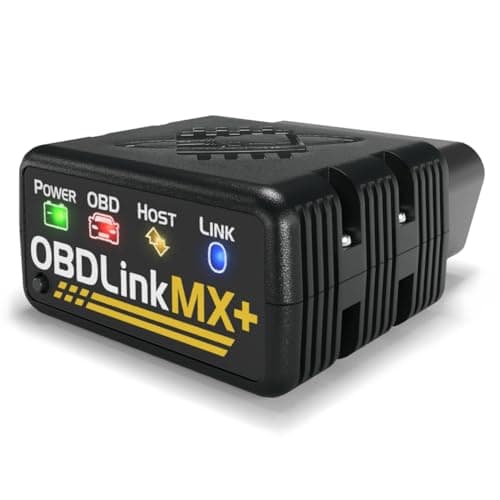
OBDLink MX+, Amazon product photo
OBDLink MX+The one that names GM SW-CAN
All legislated OBD-II, plus Ford MS-CAN and GM SW-CAN8.6
2
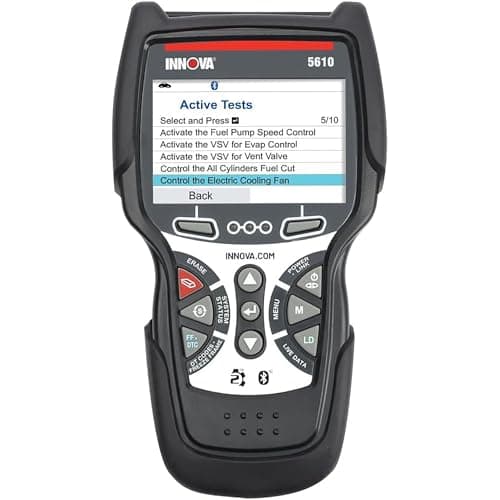
Innova 5610 CarScan Pro, Amazon product photo
Innova 5610 CarScan ProBi-directional control on a GM, with free updates
Engine, transmission, ABS, SRS8.8
3
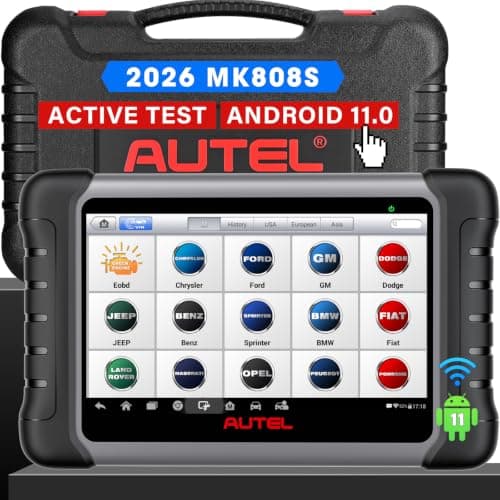
Autel MaxiCOM MK808S, Amazon product photo
Autel MaxiCOM MK808SService functions as well as codes
7 in capacitive touchscreen, 1024 x 6009.0
4
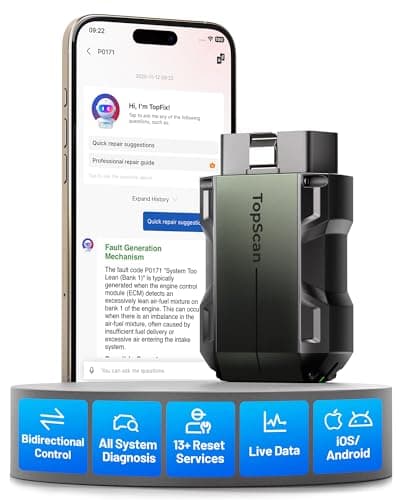
TOPDON TopScan Pro, Amazon product photo
TOPDON TopScan ProPocket bi-directional for a GM driveway
Bluetooth to iOS and Android8.6

Product photographs come from each product's own Amazon listing via the Associates program. They are the seller's images, not photographs of anything we own — we have no test rig and claim none.

OBDLink MX+, Amazon product photo

Short answer: the OBDLink MX+ is the pick for a GM, because OBDLink publishes support for GM SW-CAN by name — the single-wire CAN network that carries a large share of GM body, ABS, TPMS and transmission data — and lists the enhanced parameters it reaches. Most scanner listings claim "GM coverage" without naming a protocol, and on these vehicles the protocol is the entire question. If you want a screen of your own and bi-directional control instead of an adapter, the Innova 5610 is the alternative.

What we judged these on

1. Whether the maker names the protocol

This is the criterion that sorted the field. "Works on GM" is true of every OBD2 tool ever made, for engine codes. OBDLink states GM SW-CAN support explicitly and lists which enhanced parameters follow from it. We weighted a named protocol far above a named brand, because the brand claim costs a manufacturer nothing to print.

2. Which modules it reaches on paper

ABS, SRS, TPMS and transmission are the four that GM owners come looking for, and all four live beyond the legislated protocols. Each pick above publishes its own list, and we have used those lists rather than inferring from a model number. Best for ABS and SRS codes covers that question across all makes.

3. Transmission fluid temperature

A specific and unusually practical one. Several GM transmission fluid procedures are specified at a fluid temperature, which means the job is not doable without a tool that reads it. Innova publishes transmission temperature in its live-data list; OBDLink publishes transmission temperature among its enhanced parameters. Most sub-$100 tools do not have it.

4. Electric parking brake retraction

On late-model GM vehicles with an electric parking brake, the rear calipers cannot be compressed until the motors are retracted by a scan tool. Autel lists EPB among the MK808S service functions. Without it, a rear brake job stops at the caliper.

The four picks on what they publish

Published capability for every pick on this page
PickFormatWhat the maker states for GM-relevant dataBi-directional
OBDLink MX+Bluetooth adapterGM SW-CAN named; ABS, SRS, TPMS, A/C, transmission temp, wheel speedsApp-dependent
Innova 5610Corded handheldEngine, transmission, ABS, SRS; transmission temp and TPMS live dataYes
Autel MK808S7 in Android tabletAll available systems; 28+ service functions incl. EPB, SAS, DPFYes — active tests
TOPDON TopScan ProBluetooth dongleFull-system code reading, 13 maintenance servicesYes — bi-directional control
Published capability for every pick on this page

Note what the table does not say. None of these makers publishes a model-by-model GM compatibility matrix, and enhanced coverage is make and model-year dependent on every tool in this category. Check your specific vehicle against the maker's own coverage lookup before buying — that is true at every price.

Which GM vehicles this applies to

All of them, in the sense that the protocol question is a GM-architecture question rather than a model one: Chevrolet, GMC, Buick and Cadillac share the networks. The practical cases we see most often are a Silverado or Sierra with an ABS or traction light, an Equinox or Terrain with a TPMS fault that a generic tool reports as nothing, and any late-model GM needing a transmission service at temperature.

If your fault is a plain check-engine light, none of this matters and a cheap handheld is enough — best OBD2 scanners under $100 is the right page. The protocol only becomes the problem when the light is not an engine light.

Before you blame the scanner

Two things catch GM owners out often enough to be worth stating, and neither is a scanner fault.

The first is the port itself. The OBD2 connector is required to be within reach of the driver's seat, but on GM trucks and SUVs it is frequently tucked high under the dash edge above the pedals, sometimes behind a hinged cover, and it is easy to conclude a tool will not connect when it has simply not seated fully. Push until it clicks, and check the connector pins are clean — a port that has had a dongle living in it for years can be worn.

The second is ignition state. Most scanners need the ignition in the key-on-engine-off position to communicate: the modules powered up, the engine not running. On a push-button start vehicle that means pressing the button without your foot on the brake, which is not obvious if you have never done it. A tool that reports "no communication" on a car with the ignition fully off is behaving correctly. Why won't my OBD2 scanner connect works through the rest of the list.

Why this page has a Ford twin

Ford has the same architecture problem with a different name: MS-CAN rather than SW-CAN. OBDLink publishes support for both, which is why the MX+ appears as the pick on both pages — it is the same single capability solving the same single problem on two manufacturers. Best OBD2 scanner for a Ford is that page, and the reasoning transfers directly.

What we would buy for a GM

The OBDLink MX+, if you are happy using your phone as the screen — it is the one tool here whose maker names the GM network by name rather than the brand, and the enhanced parameter list that follows is specific enough to check against your own problem. If you want a self-contained tool with bi-directional control and no subscription, the Innova 5610. If you are facing a rear brake job on a vehicle with an electric parking brake, the Autel MK808S, because EPB retraction is the function that makes the job possible at all.

The picks in full

Every pick, in detail

Innova 5610 CarScan Pro, Amazon product photo

2. Bi-directional control on a GM, with free updates

Innova 5610 CarScan Pro

Innova · score 8.8/10

All-system diagnostics with bi-directional control and live ABS, SRS and transmission data — and Innova states updates are free with no subscription.

Engine, transmission, ABS and SRS with bi-directional control, live data including transmission fluid temperature and TPMS, and Innova states updates are free with no subscription. Transmission temperature is the specific readout a GM fluid service asks for, and it is the thing most cheap tools cannot show you. Innova states US and Canada coverage only, which is not a limitation for a GM owner in North America.

Published specifications

Systems
Engine, transmission, ABS, SRS Innova
Bi-directional
Yes Innova
Live data
Engine, ABS, SRS, transmission (incl. temperature), TPMS Innova
Updates
Free, no subscription Innova
Coverage
OBD2 vehicles 1996+; US and Canada only Innova

What works

  • Bi-directional control without a subscription
  • Transmission fluid temperature readout, which many fluid changes require
  • Free updates keep the tool useful for years

What you give up

  • Innova states it works only in the US and Canada
  • More menus than a beginner needs on day one
  • Corded handheld, not a tablet

Our scoring

  • Fit & reach9.0
  • Safety margin8.6
  • Beginner ease8.2
  • Build quality8.6
  • Value9.0
$349.99 · View on Amazon

#ad Price as of October 16, 2026. How this is funded

Specifications published by Innova — we earn nothing from that link.

Autel MaxiCOM MK808S, Amazon product photo

3. Service functions as well as codes

Autel MaxiCOM MK808S

Autel · score 9.0/10

A 7 in Android 11 tablet that reads and clears codes on all available systems and performs bi-directional active tests — the point where a scanner stops being a code reader.

A 7 in Android tablet with all-system code reading, bi-directional active tests and 28-plus service functions including oil reset, EPB, SAS, DPF, injector coding and battery registration. On a late-model GM, electric parking brake retraction is the function that turns a rear brake job from impossible into routine. Function coverage still varies by make and model year, and Autel does not state its update policy on the specification page we cite.

Published specifications

Display
7 in capacitive touchscreen, 1024 x 600 Autel
Processor
Cortex-A55 quad-core 1.8 GHz Autel
OS
Android 11 Autel
Battery
3.7 V / 5000 mAh Autel
Bi-directional
Yes — active tests Autel
Service functions
Oil reset, EPB, SAS, DPF, injector, battery registration Autel

What works

  • Reads and clears codes across all available modules, not just the engine
  • Bi-directional active tests let you command a component instead of guessing
  • Wi-Fi updates and a real battery — it works away from a laptop

What you give up

  • Far more tool than a first-time owner needs to read a check-engine light
  • Function coverage varies by make and model year
  • A tablet is one more device to keep charged

Our scoring

  • Fit & reach9.4
  • Safety margin8.6
  • Beginner ease8.0
  • Build quality9.0
  • Value8.2
$378.94 · View on Amazon

$479.00 21% off

#ad Price as of October 16, 2026. How this is funded

Specifications published by Autel — we earn nothing from that link.

TOPDON TopScan Pro, Amazon product photo

4. Pocket bi-directional for a GM driveway

TOPDON TopScan Pro

TOPDON · score 8.6/10

A Bluetooth dongle with bi-directional control, a full-system scan and 13 maintenance services — capability that used to need a tablet.

A Bluetooth dongle with bi-directional control and full-system code reading, plus the 13 maintenance services TOPDON publishes for this tier. Capability that used to need a tablet, from something that lives in a door pocket. Two caveats: the function set varies sharply between Lite, Pro and Master, and TOPDON's US store states one year of updates with yearly renewal after.

Published specifications

Connection
Bluetooth to iOS and Android TOPDON
Bi-directional
Yes — bi-directional control TOPDON
Diagnostics
Full-system code reading TOPDON
Service functions
13 maintenance services TOPDON
Protocols
CAN FD, FCA AutoAuth

What works

  • Bi-directional control from a dongle that fits in a glovebox
  • Full-system scan list is unusually broad for the format
  • Nothing to carry but your phone

What you give up

  • TOPDON lists bi-directional control and the service functions as subscription features — check what the box includes
  • Depends entirely on the app and your phone
  • Advanced functions are gated by vehicle support

Our scoring

  • Fit & reach8.6
  • Safety margin8.2
  • Beginner ease8.6
  • Build quality8.4
  • Value8.8
$110.99 · View on Amazon

$129.99 15% off

#ad Price as of October 16, 2026. How this is funded

Specifications published by TOPDON — we earn nothing from that link.

Method

How these picks were chosen

We did not test these tools. We do not run a laboratory, we have not loaded a jack to failure or checked a wrench on a calibration bench, and we will not tell you otherwise. What we did instead is read the published manufacturer specifications, check the figures that matter against the safety standard that applies to portable automotive lifting equipment, and work out which tool suits which job. Every number on this page links to where it came from, so you can check us.

The five things we score are the five that decide a first purchase: will it fit under and lift your car, how much safety margin the rating and the locking mechanism leave you, how hard it is to get right alone in a driveway, what the materials and published standards say about how long it lasts, and what the money buys against the rest of the field.

Read the full method — including how we pick a top pick, and how prices get on the page.

Questions

Frequently asked questions

+What is GM SW-CAN?

A single-wire CAN network GM uses alongside the legislated OBD2 protocols, sometimes referred to as GMLAN. A lot of body, ABS, TPMS and transmission data sits on it, and a scanner that speaks only the legislated protocols cannot see any of it. OBDLink publishes SW-CAN support for the MX+ by name.

+Will a generic OBD2 scanner work on a Chevy or GMC?

For engine and emissions codes, yes — that is federally standardized on every car sold in the US since 1996. For ABS, airbag, TPMS or transmission data on a GM, usually not, because those modules are on manufacturer networks the generic protocols do not reach.

+Which scanner reads GM transmission fluid temperature?

Innova publishes transmission fluid temperature in the 5610's live-data list, and OBDLink lists transmission temperature among the MX+'s enhanced parameters. That readout is required by several GM fluid procedures, which are specified at a temperature rather than a level.

+Do I need a bidirectional scanner for a GM brake job?

Only if the vehicle has an electric parking brake, in which case you need a tool that can retract the motors — Autel lists EPB among the MK808S service functions. On a conventional cable handbrake, no scan tool is needed for the brake job itself. The torque wrench for the job still is.

+Is an adapter plus a phone as good as a handheld scanner?

For reach, often better — the MX+ gets onto networks most handhelds cannot. For independence, worse: a dead phone means no scanner, and the app you choose decides what the adapter can actually do. Bluetooth vs wired compares the two formats.

Sources

Where these figures come from

Read next

Related reading