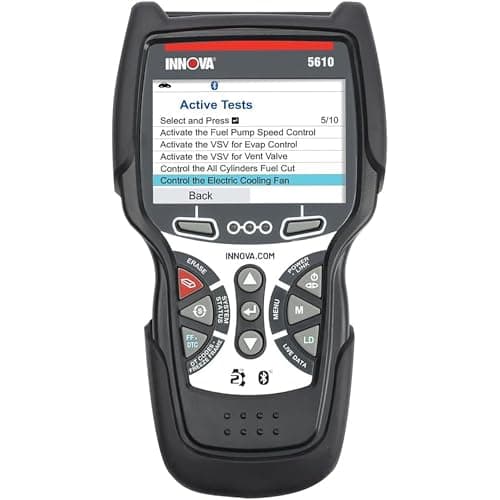
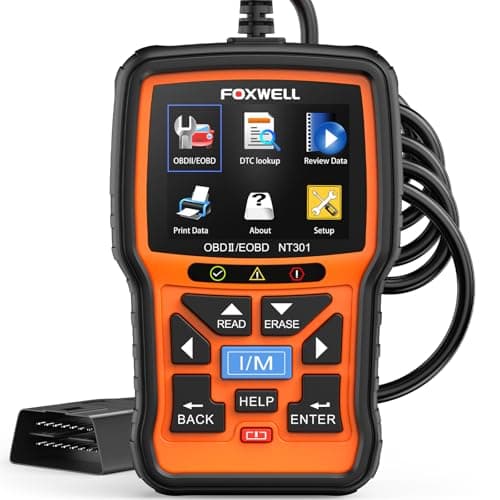
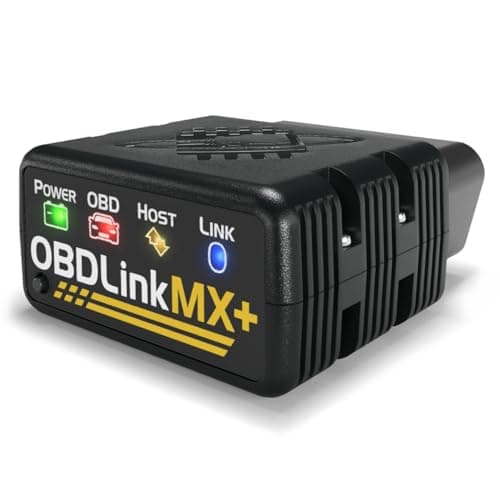
Short answer: the OBDLink MX+ is the live-data pick on published evidence, because OBDLink is the only maker here that states a sample rate and because its enhanced-data list reaches values the legislated PID set does not carry. If you want live data without involving a phone, the Innova 5610 publishes the widest handheld coverage. If you want the cheapest tool that graphs rather than just lists, it is the FOXWELL NT301. All three answer a question a stored code cannot.
What we ranked these on
We do not run a diagnostic lab and we do not publish bench timings. We read what each manufacturer states about its own product and rank on that, saying plainly where a maker publishes nothing. Four criteria, in the order they change the purchase:
The short version
- Published sample rate. How often the tool can ask for a value. Only OBDLink publishes a figure, which is itself informative about the rest of the field.
- Which modules stream. Engine only, or engine plus ABS, airbag and transmission. This decides whether the data you need exists at all.
- Graph or list. A plotted line reveals oscillation and drift that a refreshing number hides.
- Enhanced PIDs beyond the legislated set. Transmission temperature, wheel speeds and TPMS pressures are not in the standard list and need a tool that publishes access to them.
The five, on published capability
| Tool | Published sample rate | Modules that stream | Graphs? |
|---|---|---|---|
| OBDLink MX+ | Up to 100 samples per second | Engine, plus enhanced ABS, SRS, TPMS, A/C, transmission temperature, wheel speeds | Depends on the app |
| Innova 5610 CarScan Pro | None published | Engine, transmission, ABS, SRS, plus TPMS | Yes, on the handheld |
| FOXWELL NT301 | None published | Engine and emissions only (no ABS/SRS published) | Yes, text and graph |
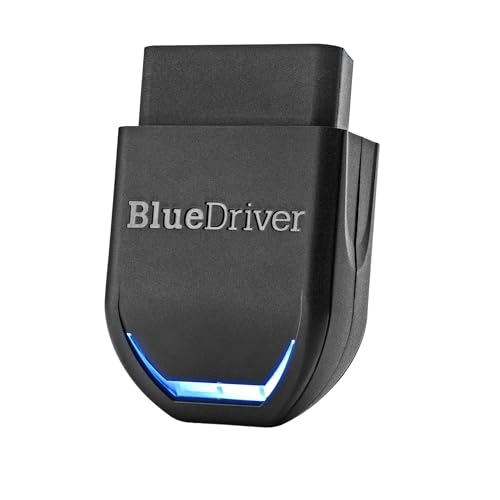
| BlueDriver Pro | None published | Engine, plus enhanced ABS, SRS, transmission | Yes, in the app |
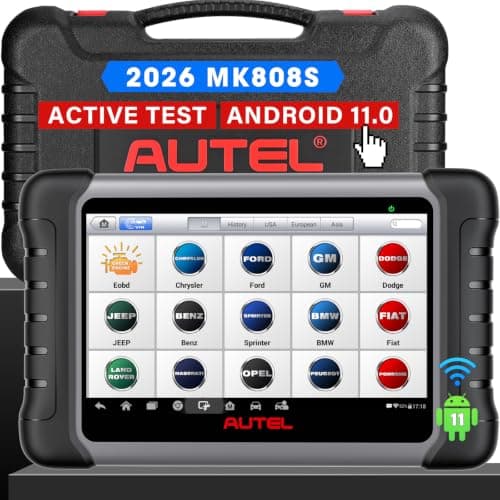
| Autel MaxiCOM MK808S | None published | All available modules | Yes, on a 7 in screen |
Four of five makers publish no sampling figure at all. We are not treating that silence as a defect, because sample rate on a real car is bounded by things the tool does not control. But it does mean OBDLink is the only one making a claim you could hold it to, and on a page ranking published evidence that counts.
What a sample rate figure does and does not promise
"Up to 100 samples per second" is the adapter's ceiling, not a guarantee about your car. The rate you actually get depends on three things the adapter cannot decide. How many PIDs you have asked for, because each request is a separate conversation on the bus and watching eight values divides your budget eight ways. How fast the vehicle's own bus and module respond, which varies enormously between a 1999 sedan and a 2022 crossover. And what the app does with the stream, since the software decides the request order and the refresh.
So read the figure as headroom rather than as throughput. It matters for exactly one class of problem: catching something brief. A misfire that appears for a tenth of a second, a sensor that drops out momentarily over a bump, an intermittent that only shows under load. For steady-state work - checking that coolant temperature climbs correctly, that fuel trims settle, that the thermostat opens - the slowest tool on this page is entirely adequate.
Legislated PIDs versus enhanced data
This is the distinction that decides whether the value you want is reachable. The emissions regulation that standardized the OBD2 port also standardized a list of parameters every compliant vehicle must report: engine speed, coolant temperature, oxygen sensor voltages, fuel trims, intake air temperature, vehicle speed and so on. Any tool on this page reads all of those on any 1996-or-newer US-market vehicle, and for most jobs they are enough.
Everything else is manufacturer territory. Transmission fluid temperature, individual wheel speeds, TPMS pressures, steering angle and battery state of health are not in the legislated set, and reaching them needs a tool whose maker publishes enhanced access for your make. Of the tools here, OBDLink publishes Ford MS-CAN and GM SW-CAN support with a named enhanced data list; BlueDriver publishes enhanced ABS, SRS and transmission coverage with a per-vehicle compatibility checker; Innova publishes transmission temperature on the 5610. The NT301 publishes none of it. Best OBD2 scanner for a Ford and best OBD2 scanner for GM work through what that access buys on those two makes specifically.
What to actually watch, for the jobs this site covers
Fuel trims, for anything running badly
Short-term and long-term fuel trim are the two most useful numbers in the legislated set, because they report how far the engine computer is having to correct away from its baseline. Large positive trim means it is adding fuel to compensate for something, which points at unmetered air. Large negative means the opposite. Watching them at idle and then at a steady cruise separates a vacuum leak from a fueling problem faster than any code will.
Coolant temperature, before you blame anything else
A thermostat stuck part-open is a common cause of a car that never reaches temperature, runs rich and returns confusing codes. Watching the coolant reading climb from cold is a five-minute test with any tool on this page.
Transmission temperature, for a fluid change
Several manufacturers specify checking fluid level within a stated temperature window, which makes this PID a prerequisite rather than a nicety. Innova publishes it on the 5610 and OBDLink publishes it in the MX+ enhanced list. A tool without it leaves you estimating the one number the procedure is written around.
Wheel speeds, for an ABS light
A single wheel-speed sensor reading zero or jumping while the other three agree names the failed sensor directly. That is enhanced data on most makes, so it needs one of the tools that publishes ABS access. Best OBD2 scanner for ABS and SRS covers that job properly.
Where live data stops helping
Three honest limits, because a tool that streams is still only half a diagnostic process. First, data without a reference is just numbers - a 0.45 V oxygen sensor reading means nothing until you know what it should read at that engine state, and that reference comes from service information rather than from the scanner. Second, reading is not commanding. Watching a cooling fan PID tells you what the computer thinks; firing the fan on demand tells you whether the fan works. Only the MK808S and the Innova 5610 publish bi-directional control, and bidirectional vs basic OBD2 scanners explains the difference.
Third, some faults are electrical rather than logical, and the scanner reports what the module believes rather than what the wire is doing. A sensor reading that looks plausible on a corroded connector is still wrong. That is the point at which the next tool is a meter on the circuit the code named, which is what best automotive multimeters is for.
The verdict
Buy the OBDLink MX+ if live data is genuinely why you are shopping, you are comfortable choosing an app, and your car is a Ford or a GM where the enhanced buses carry what you need. Buy the Innova 5610 if you want the widest published handheld coverage with no phone in the loop and you accept the US and Canada restriction. Buy the FOXWELL NT301 if graphing engine data cheaply is the whole requirement, knowing it publishes nothing past the engine.
BlueDriver is the best value here if you are content for your phone to be the screen, and the MK808S is the right answer only once you want to command components as well as watch them. If you came to this page unsure whether you needed live data at all, the honest answer for a first purchase is usually no - start at best OBD2 scanner for beginners and come back when a code has stopped being enough.