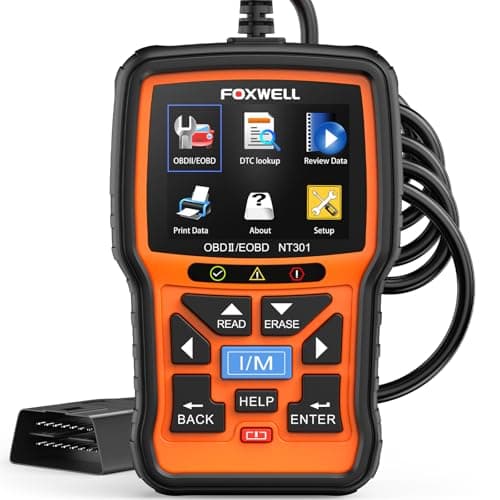
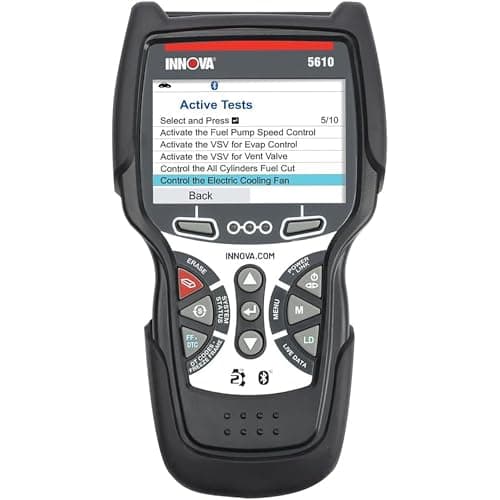
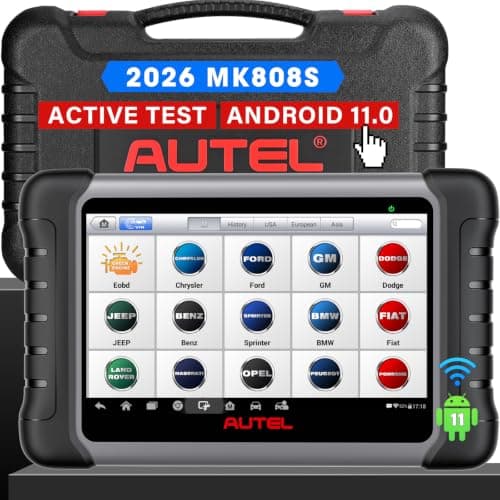
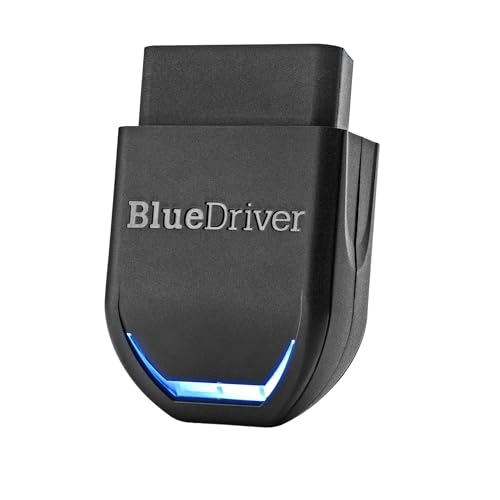
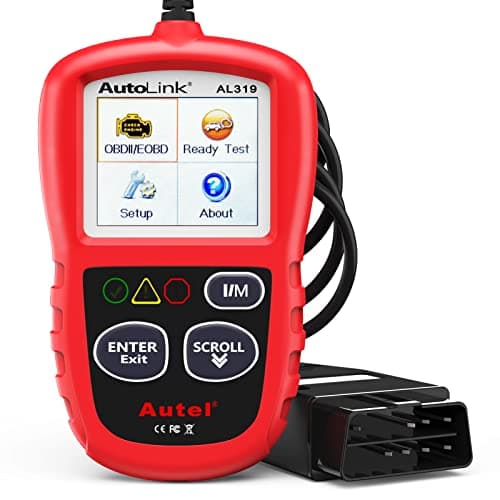
Short answer: the Autel AL319 is the code reader to buy if you want the thing the phrase actually describes, which is a screen on a cable that turns a warning light into a code and an emissions pass or fail with nothing else in the room. Spend more only for a specific reason: the FOXWELL NT301 if you want live data graphed, the Innova 5610 if the light you are chasing is ABS or airbag rather than engine. And if you are comfortable using your phone as the screen, BlueDriver reaches further than any of them for the money.
What we ranked these on
We do not run a diagnostic lab, so we do not publish bench results. We read what each manufacturer states about its own product, rank on that, and say plainly where a maker publishes nothing. Four criteria, in order of how much they change the purchase:
The short version
- Which systems it reads. Engine and emissions only, or engine plus ABS, airbag and transmission. This is the single biggest difference between a $30 tool and a $200 one.
- What it does with live data. A numeric list, a graph, or nothing. Graphing is what catches a fault that only appears while the engine is running.
- Whether it costs money again. Some makers publish free lifetime updates, some publish a renewal fee, and some publish no policy at all, which is its own answer.
- What it needs besides itself. A corded handheld needs nothing. A dongle needs a charged, paired phone and an app that still exists in four years.
Notice what is not on that list: code count. "Reads 7,000+ codes" is a retailer figure with no defined basis, and because the generic list is standardized it is close to meaningless. Ignore it.
The five, on published capability
| Tool | Systems read | Live data | Needs a phone? |
|---|---|---|---|
| Autel AutoLink AL319 | Engine and emissions | Live PCM datastream | No |
| FOXWELL NT301 | Engine and emissions (no ABS/SRS published) | Text and graph | No |
| Innova 5610 CarScan Pro | Engine, transmission, ABS, SRS | All four systems, plus TPMS and transmission temperature | No |
| Autel MaxiCOM MK808S | All available modules, plus active tests | Yes, on a 7 in tablet | No (it is the tablet) |
| BlueDriver Pro | Engine plus enhanced ABS, SRS, transmission | Yes, in the app | Yes |
The column that should decide your purchase is the second one. If the light on your dash is the check-engine light, every row handles it. If it is an ABS light, a traction-control light or an airbag light, the first two rows cannot see the module that set it, and no amount of scrolling will change that. Best OBD2 scanner for ABS and SRS covers that case in full.
What "code reader" actually means
The industry uses the words interchangeably and that is the source of most of the confusion. Treat it as a hardware distinction rather than a capability one: a code reader is a self-contained device with its own screen and its own buttons that plugs into the OBD2 port on a cable. A scan tool is the broader category that includes tablets and dongles and generally implies the ability to reach non-engine modules and to command components. Plenty of tools sit in both - the Innova 5610 on this page is a handheld with a cable that reads four systems bi-directionally, which makes it a code reader by shape and a scan tool by capability.
Why does the shape matter at all, if capability is what you are buying? Three practical reasons, and they are the reasons this page exists rather than redirecting you to the scanner roundup. A corded handheld works when your phone is dead, which is disproportionately likely on the day something goes wrong. It works for whoever is holding it, so it can live in a glovebox and be lent to a neighbor without pairing anything. And it has no app dependency, so it will still do in 2032 exactly what it does today. OBD2 scanner vs code reader goes through the terminology properly, and bluetooth vs wired OBD2 scanners is the same argument about the connection.
The feature most beginners actually want
Not code reading. Emissions readiness. The number of people who buy a reader because a state inspection is due in a week is larger than the number chasing an actual fault, and the feature that serves them is the I/M readiness check, which reports whether each of the car's self-test monitors has completed since the last time its memory was cleared.
Autel publishes a one-click readiness key on the AL319 with a color-coded display and an audible tone. FOXWELL publishes a readiness hot key on the NT301 with red, yellow and green LEDs. Either answers the question in about four seconds at the curb. The trap behind this feature is the reason how to clear a check engine light exists: clearing codes also resets those monitors to "not ready," and a vehicle that is not ready fails inspection even with no light on the dash. Clear the code, drive the car for several days of mixed driving, then re-check readiness before you book the test.
The four things a cheap reader cannot do
Reach the other computers
A modern car has many control modules. A basic reader talks only to the powertrain module, which is why an ABS or airbag light is invisible to it. Only the Innova 5610, the MK808S and BlueDriver on this page publish coverage past the engine.
Command anything
Reading tells you what the car complained about. Commanding tells you whether the part still works, by firing the component on demand - a fuel pump, a cooling fan, an ABS solenoid. Autel publishes active tests on the MK808S and Innova publishes bi-directional control on the 5610; the AL319 and NT301 have none.
See manufacturer-specific networks
Some data lives on buses outside the legislated OBD2 set. OBDLink publishes support for Ford MS-CAN and GM SW-CAN on its MX+ adapter, which is where ABS, TPMS and transmission temperature live on those makes. Best OBD2 scanner for a Ford and best OBD2 scanner for GM work through what that buys on each.
Tell you what to do about it
A code names a circuit or a symptom, not a broken part. P0171 is "system too lean," which could be a vacuum leak, a dirty mass airflow sensor, a weak fuel pump or an exhaust leak upstream of the sensor. BlueDriver's Repair Reports are the only feature on this page that attempts the next step, and they are suggestions rather than a diagnosis. The actual next step is usually a multimeter on the circuit the code names, which is what best automotive multimeters is for.
What it costs after you have bought it
This is the cost most buyers do not price in. Of the tools here, Innova states free updates with no subscription on the 5610, and BlueDriver states "Subscription: None." Autel publishes no update policy on the AL319 specification page and FOXWELL publishes none for the NT301, which for a basic reader matters much less than it sounds: generic OBD2 code definitions do not change, so a reader that never updates still reads your 2014 sedan correctly in 2034. Where update policy genuinely bites is on all-system tools, because coverage for newer model years is the thing being added. Best OBD2 scanners without a subscription is built entirely on what each maker publishes about this.
Using it the first time
1.Find the port
A 16-pin trapezoidal connector within about three feet of the steering wheel, usually under the dash on the driver's side, sometimes behind a small panel.
2.Key on, engine off
Most readers need the ignition in the on position to power up and talk to the module, but not the engine running. OBD2 scanner: car on or off covers the cases where that differs.
3.Read and record before you clear
Write down every stored and pending code and photograph the freeze frame. This is the part people skip and regret.
4.Check readiness separately
Codes and monitor readiness are two different screens answering two different questions. If an inspection is the reason you bought the tool, the readiness screen is the one you want.
If the reader will not power up or will not connect at all, the cause is usually the port, a blown fuse or the ignition position rather than the tool - why won't my OBD2 scanner connect runs through it in order. And how to use an OBD2 scanner is the longer walkthrough.
The verdict
Buy the Autel AL319 if you want a code reader in the plain sense of the phrase: cheap, self-contained, no app, and the one-button emissions answer most people are really shopping for. Buy the FOXWELL NT301 instead if you want live data graphed and can accept that FOXWELL publishes no ABS or SRS coverage for it. Buy the Innova 5610 if the light you are chasing is not the check-engine light, and accept the US and Canada restriction Innova states. Look at the MK808S only when you have decided you want to command components rather than read them.
And if you are not actually attached to the handheld form, BlueDriver is the most capability per dollar on this page, with the caveat that your phone becomes part of the tool. Best OBD2 scanner for beginners is the wider first-purchase roundup, and best budget OBD2 scanners is honest about exactly what shrinks as the price does.